Cursos de IT y software
Los mismos datos para todos, vengan de Udemy o de Coursera: precio, valoración, duración e idioma. 902 cursos encontrados. Afinar la búsqueda

CompTIA Linux+ (XK0-006) Complete Course & Exam
Master the skills required to configure, secure, and troubleshoot modern Linux environments. This course follows CompTIA’s latest Linux+ XK0-006 exam objectives, guiding you through system management, security, automation, and advanced troubleshooting so you can confidently administer Linux servers in on-prem and cloud settings. Domain Discussion • System Management (23%) Covers the foundational aspects of Linux system setup and maintenance. Topics include installation, boot processes, package management, storage configuration, and performance tuning. You'll also explore logging, monitoring, and kernel modules essential to keeping systems stable and efficient. • Services and User Management (20%) Focuses on managing users, groups, and system services. You'll learn how to configure system accounts, set permissions, and control access to resources. Additionally, this domain explores service management tools like systemd, time synchronization, and network configuration to ensure reliable system operation. • Security (18%) Equips you with the skills to secure Linux environments using access controls, firewalls, SELinux/AppArmor, and encryption. This domain includes vulnerability scanning, patch management, and applying best practices to harden systems against threats. • Automation, Orchestration, and Scripting (17%) Introduces techniques to automate administrative tasks and orchestrate system processes. You'll write Bash scripts, schedule jobs with cron and systemd timers, and use configuration management tools like Ansible and version control with Git to streamline operations. • Troubleshooting (22%) Develops your ability to diagnose and resolve issues related to system performance, networking, hardware, storage, and applications. You’ll use logs, monitoring tools, and structured troubleshooting methodologies to ensure minimal downtime and maximum availability. Course Features Your learning path combines a comprehensive study guide, quick-check quizzes, and a full-length practice exam that mirror CompTIA’s testing style. The quizzes track retention after each module, and a full-length practice exam build the pacing and confidence you need for exam day. Ready to become the go-to Linux professional on your team? Enroll in our CompTIA Linux+ Certification Course today, gain the hands-on expertise employers demand, and walk into your XK0-006 exam with confidence. Start your Linux mastery journey now! What Other Students Are Saying About Our Courses: • A great in-depth course over all of the objectives, I was easily able to follow along with the lectures and the hands-on sections in the Linux terminal. Thank you. (Collin P., 5 stars) • I found it useful to have both lectures and live demonstrations. I have used different distros over the years but always for specific purposes so never learned a solid baseline. For this course, I built some VMs using a virtual box to follow along with and eventually moved toward a KVM solution on an old machine to practice with a hypervisor for containers and other VMs. I think this course along with practice and understanding concepts will get you through the exam and started in Linux Administration roles. (Justin S, 5 stars) • I have a bit of Linux knowledge, through school, and choosing Linux to be my primary OS. I am about halfway or so through the course and have learned a lot. As for the poor reviews on this video, take notes, study, and implement, repeat. I did not have any issues with either instructor in this course. I also recommend additional study material while you're not at the computer, to keep your knowledge well rounded. Great course! (Gregory C., 5 stars) Upon completion of this course, you will earn 36 CEUs towards the renewal of your CompTIA Tech+, A+, Network+, Security+, Linux+, Cloud+, PenTest+, CySA+, or CASP+ certifications.

Building Resilient Streaming Analytics Systems on GCP IT
L'elaborazione dei flussi di dati sta diventando sempre più diffusa poiché la modalità flusso consente alle aziende di ottenere parametri in tempo reale sulle operazioni aziendali. Questo corso tratta la creazione di pipeline di dati in modalità flusso su Google Cloud. Pub/Sub viene presentato come strumento per la gestione dei flussi di dati in entrata. Il corso spiega anche come applicare aggregazioni e trasformazioni ai flussi di dati utilizzando Dataflow e come archiviare i record elaborati in BigQuery o Cloud Bigtable per l'analisi. Gli studenti acquisiranno esperienza pratica nella creazione di componenti della pipeline di dati in modalità flusso su Google Cloud utilizzando QwikLabs.

MicroPython with the ESP32
Last Updated in June and July 2022 to cover the latest versions of the Thonny editor (version 4) and MicroPython firmware (version 1.18+). More details about this update: I have introduced new lectures to show you how to install and use Thonny 4, and how to upgrade your ESP32 devkit and Raspberry Pi Pico boards to use the MicroPython 1.18 firmware. I have also tested all experiments to ensure that they work with these versions of Thonny and MicroPython. If you are using an ESP32 board that is unable to automatically enter upload mode, you will find a solution in a new lecture in Section 3. With this course, you will learn how to use MicroPython with the ESP32 microcontroller. MicroPython is a high-level programming language specifically designed for microcontrollers and resource-limited embedded devices. Who is this course for? I have created this course for three types of students: • If you are familiar with Python, you will find that MicroPython looks, feels, and works like regular Python. This course will help you get started quickly, and help you out with the peculiarities of using Python as MicroPython operating on the ESP32 hardware. • If you have little programming experience, MicroPython is a perfect option for learning how to program hardware. This course will help you learn enough MicroPython to be able to write programs that run on the ESP32 microcontroller. • If you have experience in programming the ESP32 with the Arduino IDE and language, but what to check out MicroPython, this course will help you do that. What is MicroPython? MicroPython is a programming language that borrows the syntax and language attributes of Python 3. Python 3 is a powerful high-level general-purpose language that is designed to be easy to learn and use. It is extremely popular, and among the top-5 most widely used programming languages. As a result, has an extensive set of learning resources, excellent documentation, and code libraries that cover an amazing breadth of applications. From gaming to the Internet of Things, from data science to industrial automation, anything that can be programmed in Python. MicroPython was modelled after Python to reduce the barrier to entry for people that want to write programs for microcontrollers or embedded devices that have limited resources. What is the ESP32? The ESP32 is a powerful yet low-cost microcontroller device from Espresif. The appeal of the ESP32 device is that it packs a powerful dual-core CPU, with relatively large amounts of RAM and flash storage, a full complement of wireless and wired communications options, with lots of input/output pins in a small low-cost package. The ESP32 is also versatile, as you can program it with a variety of programming tools and languages, including the Arduino IDE, and, of course, MicroPython. I selected the ESP32 as the hardware for this course because it is easy to find in the market, very affordable considering its capabilities, and, most likely, most people interested in microcontrollers already have at least one. What are the objectives of this course? This course has 3 main objectives: • To introduce you to the MicroPython programming language, even if you have little or no prior experience. • To help you learn how to use MicroPython with common external devices, like motors and screens, with MicroPython programs running on an ESP32 microcontroller. • To consolidate this knowledge with the help of two capstone projects. In these projects, you will create a working gadget by combining the knowledge you acquired earlier in the course. What are the knowledge prerequisites? Before embarking on this course, please confirm that you tick the following boxes: • You have a basic understanding of electronics. You are comfortable with assembling simple circuits on a breadboard, and you understand simple concepts like pull-up resistors and voltage dividers. • You have a basic understanding of microcontrollers. For example, you know what is a GPIO, the I2C or SPI interfaces and PWM. You understand that if you connect a 3.3V device to a 5V power source, you will damage the device. • You are familiar with related concepts, such as the Internet Of Things (which features in one of the course sections). • You are comfortable with at least one programming language and programming tool. It doesn’t matter which ones, as all modern languages and programming share the same basics. • You have a growth mindset, and you are willing to work hard in order to learn. If you feel that you don’t tick one of these boxes, consider doing one of my introductory Arduino and Electronics courses first. Then you’ll be ready to come back to this course. Course organization This course is organised in four parts. In the first part, you will learn the basics. This is where you’ll learn how to set up and use Thonny, our programming editor, and prepare your ESP32 to work with MicroPython. You will also have the opportunity to learn the basics of MicroPython and where and how to find compatible libraries. The second part is where you roll up your sleeves and write MicroPython programs. You’ll start with simple pin operations that make LEDs blink and read buttons, then move on to sensors, displays, and motors. There’s a large section dedicated to Wifi and Internet of Things applications, and another section dedicated to more advanced topics such as hardware timers, working with internal sensors, and sleep. In the third and final part, you will consolidate your new knowledge with the help of two capstone projects. Both projects combine the same hardware components with one big difference in the software. While in the first project, all of the MicroPython code exists in the same file, in the second project I show you how to modularise the design and break up the code into two files. Required software and hardware For details on the required software and hardware, I have prepared two separate lectures in this section, which I invite you to watch next. But, in summary: • For the software, you will the Thonny programming tool, and the MicroPython firmware for the ESP32. Both are open-source and free • For the hardware, you will need an ESP32 board, and an assortment of common components like LEDs, resistors, sensors and motors. It doesn’t matter which ESP32 board you have. As long as it is an ESP32, it will work with MicroPython. If you have taken one of my Arduino courses, you probably already have everything you need. For the details, please refer to the two lectures in this section where I go into the details for the required software and hardware. Ok, what's next??? I hope that you now have a good understanding of what this course is about and what to expect ahead. The first section contains several free lectures with more detailed information about the course. Feel free to watch them if you wish before enrolling. Happy Learning!

Governance, Risk, and Compliance
Master the essentials of governance, risk, and compliance with this comprehensive course designed for IT and security professionals. You'll gain expertise in identifying and managing risks, implementing robust compliance frameworks, and driving organizational resilience. This course aligns with the CompTIA CASP+ (CAS-004) certification, ensuring that your skills meet the highest industry standards. The course begins with an in-depth exploration of risk assessment, risk handling techniques, and the risk management lifecycle. You'll learn how to evaluate risk types, implement tracking methodologies, and navigate technical considerations. Real-world scenarios are used to solidify your understanding of policies, security practices, and shared responsibility models, particularly in cloud environments. As you progress, you'll dive into vendor assessments, data considerations, and compliance frameworks, with a focus on regulatory standards, legal considerations, and contract management. Additionally, you'll uncover strategies for conducting business impact and privacy impact analyses, ensuring your organization remains prepared for continuity challenges. This course is ideal for advanced professionals in IT and cybersecurity looking to enhance their knowledge of governance and risk management. A solid understanding of IT principles and security concepts is recommended for optimal success. With this training, you'll be well-prepared to tackle the CASP+ certification and lead risk governance initiatives within your organization.

Website Hacking / Penetration Testing
Last Update: May 2024 Notes: • Although website hacking is covered in one of my other courses, that course only covers the basics where this course dives much deeper in this topic covering more techniques, more vulnerabilities, advanced exploitation, advanced post exploitation, bypassing security and more! • This course focuses on website hacking, I have a different course that teaches bug hunting from scratch. Welcome to my comprehensive course on Website hacking / penetration testing. This course assumes you have NO prior knowledge in hacking, it starts with you from scratch and takes you step-by-step to an advanced level, being able to hack websites like black-hat hackers and secure them like security experts! This course is highly practical but doesn't neglect the theory, we'll start with basics to teach you how websites work and install the needed software (on Windows, Linux and Apple Mac OS). Then we'll start hacking straight away. You'll learn everything by example, by discovering vulnerabilities and exploiting them to hack websites. No boring dry lectures Before jumping into hacking, you'll first learn how to gather comprehensive information about the target website. Then the course is divided into a number of sections, each aims to teach you a common vulnerability from the OWASP top 10 most common security threats. Each section takes you through a number of hands-on examples to teach you the cause of the security bug or vulnerability and how to discover it and exploit it in a number of scenarios, from simple to advanced, ultimately allowing you to hack the target website. You'll also learn advanced techniques to bypass filters and security, escalate your privileges, access the database and much more post-exploitation techniques. As we do this I will also introduce you to different hacking and security concepts, tools and techniques. Everything will be taught through examples and hands-on practicals, there will be no useless or boring lectures! Here's a more detailed breakdown of the course content: 1. Information Gathering - In this section you'll learn how to gather comprehensive information about a target website, you'll learn how to discover its DNS information, the services used, subdomains, un-published directories, sensitive files, user emails, websites on the same server and even the hosting provider. This information is crucial as it expands the attack surface, increasing our changes of successfully hacking the target website. 2. Discovery, Exploitation & Mitigation - In this section you will learn how to discover, exploit and mitigate a common vulnerabilities from the OWASP top 10 most common security threats. This section is divided into a number of subsections. Each subsection takes you through a number of hands-on examples to teach you the cause of the vulnerability, how to discover it and how to exploit it in a number of scenarios, from simple to advanced, ultimately allowing you to hack the target website. You'll also learn advanced techniques to bypass filters and security. Finally we will analyse the code causing these vulnerabilities and d, Here's a list of the main vulnerabilities that will be covered in this section. • • Information Disclosure. • File upload. • Code Execution. • Local File Inclusion. • Remote File Inclusion. • SQL Injection. • Cross Site Scripting (XSS). • Insecure Session Management. • Brute Force & Dictionary Attacks. • CSRF (Client-Side Request Forgery). 3. Post Exploitation - In this section you will learn what can you do with the access you gained by exploiting the above vulnerabilities. You will learn how to convert reverse shell access to a Weevely access and vice versa, how to execute system commands on the target server, navigate between directories, access other websites on the same server, upload/download files, access the database and even download the whole database to your local machine. You will also learn how to bypass security, privilege escalation and do all of the above with limited permissions on the server ! You'll use the following tools to achieve the above: • Kali Linux. • Weevely. • THC-Hydra . • Netcat . • Dev tools. • Burp Suite. • OWASP Zap. • Metasploit. • BeEF. • Dirb. • Maltego. • Knockpy. With this course you get 24/7 support, so if you have any questions you can post them in the Q&A section and we'll respond to you within 15 hours. Checkout the curriculum and the course teaser for more info! Notes: • This course is created for educational purposes only and all the attacks are launched in my own lab or against systems that I have permission to test. • This course is totally a product of Zaid Sabih & zSecurity, no other organization is associated with it or a certification exam. Although, you will receive a Course Completion Certification from Udemy, apart from that NO OTHER ORGANIZATION IS INVOLVED.

Managing Change when Moving to Google Cloud 日本語版
クラウドに移行すると、新しい働き方を始めるいろいろな機会が生まれるとともに、従業員がコラボレーションやイノベーションを行いやすくなります。ただし、これは大きな変化も意味します。変革が成功するかどうかは、その変化自体ではなく、変化への対処方法によって決まる場合もあります。このコースでは、中間管理者がクラウド導入に関連する主な課題を把握できるようにし、変化の過程でチームを支援するのに役立つ、現場で使える検証済みのフレームワークを提供します。クラウドへの移行のヒューマン ファクタに取り組むことで、組織はビジネス目標の実現と将来必要となる能力への投資の機会を増やすことができます。

Cisco Meraki Training
A complete training course on Cisco Meraki. This 10 hour dedicated training on Cisco Meraki covers the following topics: • Meraki Cloud & Dashboard • Meraki MX Security Appliances • Meraki MR Wireless Access Points • Meraki MS Network Switches • Meraki SM Systems Manager - Mobile Device Management (MDM) This training course covers right from the basics, physical demo of the Meraki equipment, Initial setup, Configuration and Management. We extensively go through the industry best practices and have a hands on learning experience with live gear. We begin by exploring the Meraki Cloud and Dashboard, dive deep into the Dashboard setup, configuration and deployment. Subsequently, in each modules we dive deep into the Meraki products like the MS switch, MX security appliance, MR wireless access point, SM Systems Manager (Mobile Device Management) platform This course is for beginners to Intermediate level Networking and Security Engineers in IT who want to learn about the complete Meraki Networking solution It is recommended to have basic knowledge on the following Networking domains to get the best value out of the course: • IP Addressing Fundamentals • Basic knowledge on Wireless Networks • Basic knowledge on Switching • Basic knowledge on Firewalls • Basic knowledge on Security principles like least privilege • Basic knowledge on Access control – Minimizing attack surface • Basic knowledge on Windows servers This training also covers content that overlaps with the material for the Meraki certifications like CMNO and CMNA.
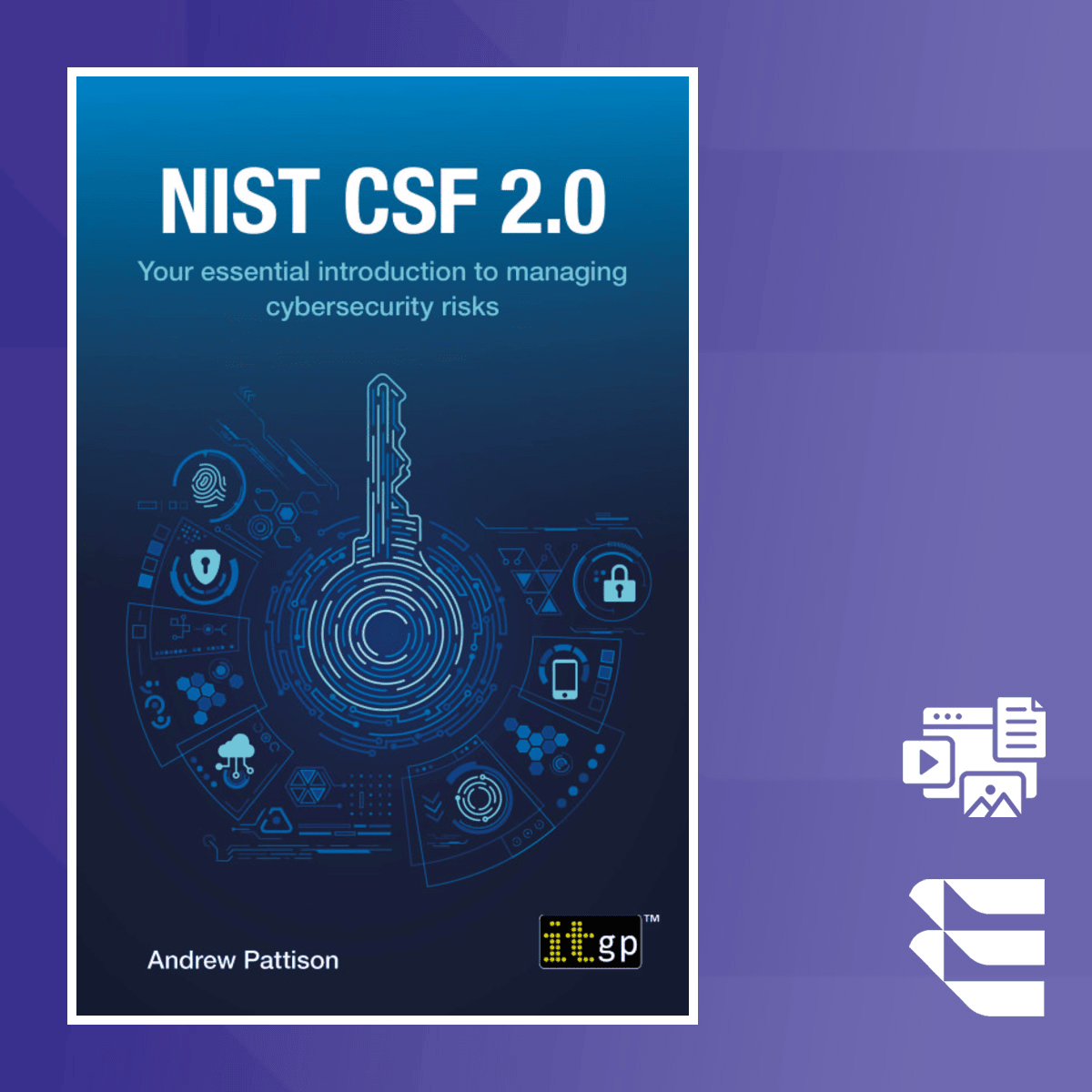
NIST Cybersecurity Framework 2.0: Managing Risks
The NIST Cybersecurity Framework (CSF) 2.0 provides a structured approach to managing cybersecurity risks. It focuses on enhancing organizational cybersecurity practices by aligning them with global standards, offering a robust guide for professionals to understand and implement the framework effectively. This course covers the essential components and practical applications of the NIST CSF, helping learners navigate complex cybersecurity environments. By following this course, you will gain practical insights into aligning cybersecurity strategies with business goals, including integrating risk management approaches into everyday operations. You will also explore implementation strategies tailored to real-world scenarios, making it easier to apply theoretical concepts to actual cybersecurity challenges. This course stands out by combining the theoretical principles of the NIST CSF with actionable, real-world strategies. You’ll also gain knowledge of how to integrate the CSF with other frameworks like ISO 27001, enhancing your cybersecurity compliance and governance. This course is ideal for cybersecurity professionals, IT auditors, and compliance officers looking to implement or align cybersecurity frameworks. A basic understanding of information security is recommended to maximize learning outcomes. Copyright @ Andrew Pattison 2025. The author has asserted the rights of the author under the Copyright, Designs and Patents Act, 1988, to be identified as the author of this work. Formerly published in 2018 by IT Governance Publishing as NIST Cybersecurity Framework - A pocket guide. This version first published in the United Kingdom in 2025 by IT Governance Publishing. Every possible effort has been made to ensure that the information contained in this course is accurate at the time of going to press, and the publisher and the author cannot accept responsibility for any errors or omissions, however caused. Any opinions expressed in this book are those of the author, not the publisher. Websites identified are for reference only, not endorsement, and any website visits are at the reader's own risk. No responsibility for loss or damage occasioned to any person acting, or refraining from action, as a result of the material in this publication can be accepted by the publisher or the author. Apart from any fair dealing for the purposes of research or private study, or criticism or review, as permitted under the Copyright, Designs and Patents Act 1988, this publication may only be reproduced, stored or transmitted, in any form, or by any means, with the prior permission in writing of the publisher or, in the case of reprographic reproduction, in accordance with the terms of licenses issued by the Copyright Licensing Agency. Enquiries concerning reproduction outside those terms should be sent to the publisher at the following address: IT Governance Publishing Ltd Unit 3, Clive Court Bartholomew's Walk Cambridgeshire Business Park Ely, Cambridgeshire CB7 4EA United Kingdom www.itgovernancepublishing.co.uk

STM32Fx Microcontroller Custom Bootloader Development
Get started with Micro-controller Bootloader Development. This course will be suitable for beginners in the domain of embedded systems and programming. This course is all about learning to develop a custom BootLoader for ARM CORTEX Mx powered STM32Fx microcontroller. In this course, I will guide you through a step-by-step procedures to develop your own BootLoader and we will explore many things related to BootLoader programming. The BootLoader we are going to develop in this course will have the following features 1) It can do in-application programming(IAP). You can use the BootLoader to flash a given application binary 2) Read microcontroller-specific data 3) Flash related configurations like setting up read and write protections for different sectors 4) Flash sector erase 5) Mass erase of the user flash 6) Read and display the protection status of the flash memory 7) Jump to the specified address to execute the code Along with custom BootLoader development, you will also understand 1) The different memory organization of a microcontroller 2) Memory aliasing and different boot modes of STM32 3) How MCU boots after power-up 4) Vector table mapping and vector table relocation use case of arm cortex mx processor. 5) Difference between In-system programming(ISP) and in-application programming(IAP) 6) Custom boot loader design flow chart 7) Host and Boot loader communication method 8) Implementation of different boot loader commands You can also extend this BootLoader by giving the following features once you complete the course 1) Encrypt and Decrypt the firmware sent by the host using AES 2) Over-the-air programming by interfacing WIFI or Zigbee Modules Hardware used in this course: In this course, STM32F446RE Nucleo board is used. If you have any other board based on the STM32 microcontroller then also you can use the codes developed in the course with no or minor changes. Software used: 1) KEIL-MDK-5 for WINDOWS 2) OpenSTM32 SystemWorkbench for (WINDOWS/LINUX/MAC OS) Learning order of FastBit Embedded Brain Academy Courses, If you are a beginner in the field of embedded systems, then you can take our courses in the below-mentioned order. This is just a recommendation from the instructor for beginners. 1) Microcontroller Embedded C Programming: absolute beginners(Embedded C) 2) Embedded Systems Programming on ARM Cortex-M3/M4 Processor(ARM Cortex M4 Processor specific) 3) Mastering Microcontroller with Embedded Driver Development(MCU1) 4) Mastering Microcontroller: TIMERS, PWM, CAN, RTC,LOW POWER(MCU2) 5) Mastering Microcontroller: STM32-LTDC, LCD-TFT, LVGL(MCU3) 6) Embedded System Design using UML State Machines(State machine) 7) Mastering RTOS: Hands-on FreeRTOS and STM32Fx with Debugging(RTOS) 8) ARM Cortex M Microcontroller DMA Programming Demystified(DMA) 9) STM32Fx Microcontroller Custom Bootloader Development(Bootloader) 10) Embedded Linux Step by Step using Beaglebone Black(Linux) 11) Linux device driver programming using Beaglebone Black(LDD1) Other programming courses 1) Master The Rust Programming Language : Beginner To Advanced

Logging and Monitoring Tools in Azure
This is the first course from the three-course specialization named AZ-305 Designing Microsoft Azure Infrastructure Solutions Exam Prep Specialization. Designed to provide you with insight into logging, monitoring, and data protection in cloud environments, this course explains the significance of robust logging and monitoring practices and strategies for data protection across various data types, including databases and file systems. By the end of this course, you will be able to: • Explain the importance of logging and monitoring in cloud environments. • Identify and implement solutions for log retention and archiving based on organizational requirements. • Describe how to configure and deploy Azure Monitor components, including Log Analytics workspaces. • Define data protection strategies for various types of data, including databases and file systems. This course is suitable for IT professionals, system administrators, security specialists, and anyone responsible for managing and securing cloud resources in Microsoft Azure. As a Microsoft Azure solutions architect, you should have expertise in designing cloud and hybrid solutions that run on Azure.

Master Microsoft Fabric: A Complete End-to-End Project- CICD
Let me introduce you to Master Microsoft Fabric – The Complete End-to-End Project & CI/CD Blueprint In this comprehensive, all-in-one Microsoft Fabric course, you will gain EVERY SINGLE practical skill, architecture pattern, and real-world workflow required to design, build, secure, and deploy enterprise-ready Fabric solutions starting THIS YEAR. This is not a feature walkthrough. This is a real, production-style Microsoft Fabric implementation taught step by step. Inside this end-to-end Microsoft Fabric program, you will master: 1. MICROSOFT FABRIC FOUNDATIONS Understand what Microsoft Fabric is, how all services fit together, and how enterprises design Fabric platforms (Course Introduction + Understanding Fabric) 2. FABRIC ENVIRONMENT & WORKSPACE SETUP Set up Fabric environments, workspaces, capacities, and permissions the right way from day one (Environment Setup) 3. FABRIC LAKEHOUSE MASTERCLASS Build analytics-ready data using Lakehouse, Delta tables, notebooks, and Spark-based transformations (Fabric Lakehouse) 4. DATA INGESTION WITH FABRIC DATA FACTORY Ingest data using Fabric Data Pipelines & Dataflows Gen2, including incremental loading and real-world scenarios (Fabric Data Factory) 5. ONELAKE DEEP DIVE Master OneLake architecture, shortcuts, storage unification, and how Fabric eliminates traditional data silos (Fabric OneLake) 6. FABRIC SYNAPSE DATA ENGINEERING Perform large-scale data engineering using Spark, notebooks, transformations, and performance-optimized pipelines (Fabric Synapse Data Engineering) 7. SYNAPSE TO MICROSOFT FABRIC MIGRATION Migrate existing Azure Synapse notebooks and workloads into Microsoft Fabric safely and efficiently (Synapse Migration) 8. FABRIC CAPACITY METRICS & THROTTLING Monitor usage with the Capacity Metrics App, understand throttling stages, and optimize performance & cost (Capacity Metrics App) 9. FABRIC DATA WAREHOUSE MASTERCLASS Design enterprise SQL analytics solutions using Fabric Warehouse, T-SQL, performance tuning, and analytics patterns (Fabric Warehouse) 10. ENTERPRISE ACCESS CONTROL & GOVERNANCE Implement workspace permissions, item-level security, tenant controls, and capacity permissions (Access Control & Permissions) 11. POWER BI IN MICROSOFT FABRIC Build high-performance semantic models, use Direct Lake, refresh strategies, and enterprise reporting patterns (Power BI in Fabric) 12. END-TO-END FABRIC PROJECT Build a complete real-world Fabric solution covering ingestion, transformation, modeling, security, and reporting (End-to-End Project) 13. FABRIC GIT INTEGRATION & CI/CD Implement Git-based version control and CI/CD pipelines to promote Fabric assets across Dev, Test & Prod (Fabric Git Integration) 14. FABRIC DATA AGENT & AUTOMATION Understand Fabric Data Agent, automation concepts, and how AI-driven capabilities fit into modern Fabric platforms (Fabric Data Agent) EVEN MORE Microsoft Fabric training, architecture patterns, and enterprise best practices not found anywhere else.

Gemini in Google Slides - Bahasa Indonesia
Gemini untuk Google Workspace adalah add-on yang menyediakan fitur AI generatif bagi pelanggan di Google Workspace. Dalam kursus mini ini, Anda akan mempelajari berbagai fitur penting di Gemini dan cara penggunaannya untuk meningkatkan produktivitas dan efisiensi di Google Slide.

Soldering for Beginners: Electronics Through-Hole & SMD
If you can't solder, you can't build, repair, or modify electronics; it's the one hands-on skill nearly every project depends on. The good news: it's completely learnable, and a clean, reliable joint comes far more from technique than from talent. Soldering shows up everywhere, from the tiniest component on a circuit board to larger electromechanical assemblies. Whether you're prototyping an idea, building at scale, or fixing something on your own workbench, you need connections that are both electrically sound and mechanically strong and you need them to last. I'm a Lead Hardware Engineer with 7+ years in industry, and I've personally soldered and assembled boards at a production scale of 500+ units a month, using both SMD reflow and through-hole techniques. In this course I'll hand you the tools, techniques, and troubleshooting know-how to make great connections every time. You'll start with the essentials: choosing a suitable iron, understanding tips and temperature, and setting up to work safely. Then you'll solder through-hole and surface-mount components, splice wires, and just as importantly, learn to desolder cleanly when a part needs to come off. We'll also cover the repairs that rescue projects: fixing cold solder joints and correcting mistakes on a PCB without ruining the board. You'll even learn where to find free, open-source PCB files so you can practice on real designs. Quality joints come from proper technique plus the right materials, and technique is something you build through guided, hands-on practice. By the end, you'll solder with the steady confidence of someone who's done it hundreds of times. More than 20,000 learners have taken my courses. Pick up a skill you'll use for the rest of your electronics journey.

Google Cloud IAM and Networking for Azure Professionals
This is the first course of a four-course series for cloud architects and engineers with existing Azure knowledge, and it compares Google Cloud and Azure solutions and guides professionals on their use. This course focuses on Identity and Access Management (IAM) and networking in Google Cloud. The learners apply the knowledge of access management and networking in Azure to explore the similarities and differences with access management and networking in Google Cloud. Learners get hands-on practice building and managing Google Cloud resources.

CheckPoint Firewall R81 CCSA Training for Enterprise Sec.
Are you looking for a complete Check Point Firewall R81 training course that teaches real-world enterprise firewall configuration? This hands-on Check Point Firewall course will teach you how to install, configure, manage, and secure enterprise firewalls using GAIA OS and SmartConsole. This course is designed to take you from a complete beginner to a confident firewall administrator using one of the most widely deployed enterprise security platforms in the world — Check Point R81. This course helps prepare you for Check Point firewall administration and provides foundational knowledge for Check Point certification such as CCSA. Through step-by-step guidance and practical demonstrations, you will learn how to install, configure, and manage a Check Point Security Gateway using SmartConsole and the Gaia operating system. The course focuses on real-world skills that network and security professionals use daily. You will start with the fundamentals of Check Point architecture and gradually move into advanced configuration topics. Along the way, you will build security policies, configure NAT, set up secure VPN connections, and learn how traffic flows through the firewall. You will also gain hands-on experience with monitoring, logging, and troubleshooting, which are essential skills for any firewall administrator. This is not just theory — every important concept is backed by practical lab-style demonstrations so you can follow along and build confidence. By the end of this course, you will understand how to deploy and manage a Check Point Firewall in real enterprise environments and be well-prepared for firewall administration roles or further certification studies. If you want practical Check Point R81 skills that you can apply immediately, this course is for you.

Linux Troubleshooting Fundamentals
Updated in May 2025. This course now features Coursera Coach! A smarter way to learn with interactive, real-time conversations that help you test your knowledge, challenge assumptions, and deepen your understanding as you progress through the course. Master the core principles of Linux troubleshooting and gain the confidence to tackle real-world technical issues. You’ll learn how to apply structured problem-solving techniques, leverage system logs, and use tools like VirtualBox to simulate environments for hands-on practice. The course begins with foundational best practices, including how to follow standard procedures, use documentation, and communicate effectively with users and vendors. From there, you’ll move into designing a lab environment and installing multiple Linux distributions to practice resolving common system errors and network issues. Later modules dive into conceptual troubleshooting scenarios—from server inaccessibility to VM performance issues—arming you with analytical approaches to diagnose and resolve system-level problems. You’ll also gain experience troubleshooting failed installations and misconfigured environments in cloud and local setups. This course is ideal for aspiring system administrators, IT support professionals, and anyone responsible for managing Linux systems. Basic familiarity with Linux and virtualization tools is recommended. The content is geared toward learners at the Intermediate level.

STM32 AWS IoT Core Bootcamp: MQTT, OTA Updates, ESP32 WIFI
Are you ready to take your STM32 and IoT skills to the next level by building real cloud connected devices on AWS? This is a brand new course that is practice first, project driven, and step by step. You will not just learn concepts. You will build along and see your STM32 devices come alive with real AWS IoT Core integration.. In this hands on, project driven course, you will learn how to connect your STM32 microcontrollers to the AWS IoT Cloud and build real world IoT applications that are secure, reliable, and scalable. Connect STM32 to AWS IoT Core using ESP32 Wi Fi bridge, publish and control devices with MQTT, deliver secure OTA firmware updates, and integrate Razorpay payment events in hands on projects This is not a theory heavy course. It is all about building step by step, where you will write code, configure cloud services, and see your embedded device interact with AWS in real time. By the end, you will have the skills to implement IoT systems that go beyond simple sensor readings, integrating with advanced features such as firmware updates over the air and even cloud driven business logic with payment gateways. What you will learn? • How to set up AWS IoT Core for secure device-to-cloud communication • Connecting STM32 with ESP32 as a Wi-Fi bridge using AT commands • Publishing sensor data and receiving commands over MQTT • Implementing secure Over-the-Air firmware updates using AWS IoT Jobs • Managing cloud-to-device messaging and real-time responses • Integrating IoT with real-world business systems (Razorpay Payment Gateway) • Building end-to-end IoT workflows from device → cloud → device Hardware Requirements Note: If you already have a microcontroller development board, we recommend continuing with it. This course is designed with such thoroughness that the concepts and steps can be applied to most development boards though some minor adjustments may be needed. But, if you prefer to use the exact same board as the instructor for a smoother experience, you can check out the recommended hardware Any STM32 Nucleo board with Fastbit IOT connect shield (Recommended) or Any STM32 development board + ESP32 module for Wi-Fi Projects you build • IoT Foundation Project – Connect STM32 to AWS, publish sensor data, and subscribe to commands using MQTT • OTA Firmware Updates – Deliver new firmware securely from AWS S3 and update in the devices automatically. • IoT + Payment Gateway – React to real-time Razorpay payment confirmations on your STM32 device with instant feedback on OLED display. Who this course is for? • Embedded engineers who want to connect their devices to the cloud • Students or professionals interested in IoT product development • Makers who want to build practical IoT projects beyond basics • Anyone curious about how embedded devices interact with AWS IoT Core Requirements • Basic knowledge of C programming and STM32 development • Familiarity with UART and microcontroller basics • An STM32 development board + ESP32 module for Wi-Fi By the end of this course, you will be able to: • Confidently connect STM32 devices to AWS IoT Core • Build real-world, cloud-integrated IoT applications • Deliver OTA firmware updates securely • Integrate IoT devices with modern digital services

Creating Dynamic Secrets for Google Cloud with Vault
This is a self-paced lab that takes place in the Google Cloud console. In this hands-on lab, you will learn how to create dynamic secrets in Vault.

Docker for the Absolute Beginner - Hands On - DevOps
Docker is an open platform for developers and sysadmins to build, ship, and run distributed applications, whether on laptops, data center VMs, or the cloud. This course introduces Docker to an Absolute Beginner using really simple and easy-to-understand lectures. Lectures are followed by demos showing how to set up and get started with Docker. The coding exercises that accompany this course will help you practice Docker commands, develop your own images using Dockerfiles, and practice Docker Compose. You will be developing Docker files for different use cases right in your browser. This way, you don’t really need to have your own environment set up to get some hands-on practice. The coding exercises will validate your commands and Dockerfiles and ensure you have written them correctly. And finally, we have assignments to put your skills to the test. You will be given the challenge to solve using the skills you gained during this course. This is a great way to gain real-life project experience and work with the other students in the community to develop a Dockerfile and get feedback for your work. The assignment will push you to research and develop your own Docker images. Our tools, courses, and resources will help you improve your Docker skills and help you gain a true understanding of the program. Disclaimer This course requires you to download Docker Desktop from the official website. If you are a Udemy Business user, please check with your employer before downloading this software to ensure it aligns with your organization’s internal policies.

BigQuery para analistas de datos
Este curso está diseñado para analistas de datos que quieren aprender a usar BigQuery para sus labores. Con una combinación de videos, labs y demostraciones, abordaremos varios temas relacionados con cómo transferir, transformar y consultar tus datos en BigQuery para obtener estadísticas que pueden servir a la hora de tomar decisiones empresariales.

AI-900/AI-901 Azure AI Fundamentals Exam Preparation
LEARN AZURE ARTIFICIAL INTELLIGENCE AND MACHINE LEARNING (ML) TECHNOLOGIES IN ONE DAY! The course is completely up-to-date with new requirements as of May 2026. The course is being updated in 2026 for all new content covering AI-901 topics. Complete preparation for the AI-900/AI-901 Azure AI Fundamentals exam. The AI-900 exam covers the following topics: • Describe AI workloads and considerations (15-20%) • Describe fundamental principles of machine learning on Azure (15-20%) • Describe features of computer vision workloads on Azure (15-20%) • Describe features of Natural Language Processing (NLP) workloads on Azure (15-20%) • Describe features of generative AI workloads on Azure (20-25%) The AI-901 exam is much simpler as it covers the following: • Identify AI concepts and responsibilities (40–45%) • Implement AI solutions by using Microsoft Foundry (55–60%) This course completely covers the AI-900/AI-901 exam from start to finish. Always updated with the latest requirements. This course goes over each requirement of the exam in detail. If you have no background in machine learning and want to learn about it and want to learn more about AI / ML concepts and services within Azure, or have some background in machine learning and want to progress eventually to an Azure Data Engineer or Data Analyst type role, this course is a great resource for you. Microsoft Azure is still the fastest-growing large cloud platform. The opportunities for jobs in cloud computing are still out there, and finding well-qualified people is the #1 problem that businesses have. If you're looking to change your career, this would be a good entry point into cloud computing on the machine learning side. Sign up today!

Generative AI Database Design & Management with ChatGPT
Imagine designing databases that evolve with your business, anticipate future needs, and solve problems you haven't even encountered yet. This course teaches you to use AI as your intelligent design partner—creating database architectures neither human nor AI could achieve alone. You'll master AI-powered design techniques that transform traditional database development, leveraging generative AI for schema simulation, automated gap analysis, and AI-facilitated requirement discovery. Together with your AI collaborator, you'll craft schemas that reduce technical debt, minimize migrations, and maintain peak performance through AI-optimized design choices. What You'll Learn: • Test queries against AI-simulated databases before writing any code • Identify design blind spots using AI-powered gap analysis techniques • Have AI interview you with intelligent questions to uncover critical data insights • Convert spreadsheets or photographs into AI-optimized database schemas • Use AI to simulate database performance under various usage scenarios • Create AI-enhanced design packages that document both implementation and reasoning Skills That Will Transform Your Work: • Generate thousands of rows of AI-crafted realistic test data in seconds • Create AI-designed dashboards to validate your design's reporting capabilities • Design AI-optimized migration paths for evolving database needs • Build AI-documented databases that new team members can understand immediately • Explore multiple AI-generated design alternatives to find optimal solutions This course is for anyone who designs or maintains databases—from beginners to seasoned architects. You'll learn practical AI collaboration techniques that dramatically enhance your ability to create systems that are adaptable, resilient, and perfectly aligned with business needs. Join us to master the art of human-AI collaborative database design and create systems that truly stand the test of time.

PowerShell: Step-by-step
Many have been fearful of learning PowerShell because they have no experience with programming languages. PowerShell is a powerful scripting language and a command-line interface. Understanding the use of PowerShell will allow you to automate many tasks. There are also many settings that can only be managed using PowerShell. This is true of Windows 10 and Windows 11, Windows Server 2016 through Windows Server 2022, Exchange, SharePoint and many System Center products. In this course you will learn how to user various powershell tools How to alter command using parameters Use Powershell Help and Get commands to refine syntax and correct errors Uses Aliases Combine multiple commands using the powershell pipeline Use a transcript to record all commands types within a powershell session Search for items or properties using operators like equal to, not equal to, or like Learn to restrict powershell commands from executing on specific systems for security reasons. Create various types of powershell scripts. Create your own powershell commands user powershell functions Learn how to remotely manage multiple clients and servers using powershell Query hardware on local and remote computers using WMI and CIM. Run queries like identifying printer settings, local accounts on a computer, motherboard settings, BIOS/Firmware settings, battery health for laptops, and much more. Hands-On Examples Every command and script that this course covers is demonstrated. Sample scripts are available for download, containing many of the commands that I run in the lessons. Follow along on your own computer or in a virtual Microsoft online lab, for free. Be sure to watch some of the demo videos for this course!
Information Security Program Management
Still managing controls but struggling to run a structured, enterprise-wide security program? Policies alone don’t build resilience. Organizations require professionals able to map strategy into execution and design scalable security programs, manage assets, deploy controls, and evaluate performance across the enterprise. That’s the skill set this course develops. In this Information Security Program Development and Management course, you will: • Translate security strategy into a structured InfoSec program • Define scope, charter, objectives, and business case • Identify and classify critical information assets • Apply industry frameworks and security architecture • Design, implement, & test layered security controls • Build roadmaps, metrics, and continuous monitoring models Unlike theory-only programs, this course delivers a practical, execution-driven approach — from policy to roadmap to measurable results. Designed for aspiring CISM professionals, security managers, program leads, IT auditors, and governance practitioners moving into senior roles. Enroll now and step into strategic security program leadership.

Ultimate GRC - Governance, Risk & Compliance Training "2026
This Course contains the use of artificial intelligence. Are you ready to become the person organizations trust for governance, risk management, and compliance, but feel that most content is either too theoretical or too focused on certifications only? This training was built to change that. This course includes the use of artificial intelligence in the production workflow. The curriculum is designed, reviewed, and authored by a subject matter expert. Audio narration is synthesized using text-to-speech tools, with quality checks applied throughout the process. Our goal is to deliver learning that is clear, accessible, and worth your investment. In this practical, real-world GRC expert program, we take you from having scattered knowledge across frameworks and regulations to having a clear, integrated GRC mindset. You will learn how to design, implement, and improve GRC programs that actually work in organizations, not just on paper. No exam talk, no fluff – just hands-on GRC skills, frameworks in action, and ready-to-use tools you can take straight into your job. By the end of this training, you will be able to: • Build and structure a GRC framework aligned with business strategy, using standards like ISO 27001, NIST, COSO, and COBIT in a practical way. • Design and maintain a risk management process end to end, from risk identification and assessment to treatment, monitoring, and reporting. • Develop and manage policies, standards, and procedures that are clear, enforceable, and aligned with governance requirements. • Map and implement controls across technology, processes, and people, and link them to risks, regulations, and business objectives. • Build and maintain risk registers, control libraries, and compliance matrices that stand up to audits and regulator reviews. • Communicate with executives, audit committees, and regulators using the language of risk appetite, tolerance, KRI, KPI, and assurance. Why this GRC training is different Most GRC content is either very high-level or purely exam-driven. This program focuses on doing GRC in real organizations: • Concepts are explained in plain language first, then connected to frameworks, regulations, and best practices so you see the full picture. • Training is scenario-driven, with real-world examples of governance breakdowns, risk failures, audit findings, and how strong GRC programs prevent them. • You get a strong focus on practical implementation: setting up GRC processes, building dashboards, preparing reports, and managing stakeholders. • The materials support non-native English speakers, with clear explanations for dense topics like controls, assurance, and regulatory requirements. • You gain access to templates and structures such as sample risk registers, policy structures, RACI matrices, and GRC reporting models you can adapt to your environment. Your next step If you are ready to move beyond fragmented knowledge and build a complete, practical GRC skill set that organizations truly value, this training is your roadmap. Enrol now and start your journey to becoming a GRC expert who can design, communicate, and run governance, risk, and compliance programs that make a real impact.

Déployer et adapter des modèles d'IA avec Cloud Run
AI inference is the process of using a trained machine learning model to make predictions on new, unseen data by applying learned patterns. This course is designed for developers, data scientists, and ML engineers interested in quickly deploying AI inference services on Cloud Run. It is useful for those familiar with cloud-based serverless application deployment solutions, but who may not have experience with running AI inference using Google Cloud serverless products. The course includes examples that deploys a model for AI inference with GPUs and integrates gen AI apps with data storage services.

AI-103 - Azure AI Apps and Agents Developer Associate
Version 2.0 – Major AI-103 Course Update This course has been significantly updated to help students prepare for both the AI-102 Azure AI Engineer Associate exam and the newer AI-103: Developing AI Apps and Agents on Azure exam. Microsoft has introduced AI-103 as the newer exam path for developers and AI engineers who want to build, manage, and deploy modern AI applications and agentic solutions on Azure. The AI-103 exam focuses on practical skills such as planning Azure AI solutions, implementing generative AI and agentic solutions, working with computer vision, text analysis, and information extraction solutions. What’s new in this course update • Practice quizzes at the end of key sections Reinforce your understanding with targeted questions that help you check your readiness as you move through the course. • Updated videos featuring the latest OpenAI and Azure AI capabilities Several lessons have been refreshed to reflect newer model capabilities, the Responses API, tool usage, and practical development patterns for modern AI applications. • Brand-new AI-103 focused sections The course now includes new content aligned with the AI-103 exam objectives, including Microsoft Foundry, generative AI apps, AI agents, tools, knowledge grounding, retrieval-augmented generation, multimodal AI, and responsible AI solution design. By the end of this course, you should be able to: • Understand the key skills measured in the AI-103 exam • Build AI applications that use Azure AI services • Use generative AI models in real application workflows • Create and configure agents in Microsoft Foundry • Ground AI responses using Azure AI Search and knowledge sources • Connect agents to tools, APIs, and business systems • Work with vision, speech, language, and information extraction services • Understand how to plan, secure, evaluate, and manage Azure AI solutions This course is ideal for developers, cloud engineers, AI engineers, and students who want to prepare for Microsoft Azure AI certification while also gaining practical, job-ready AI development skills. Version 1.1 Below are the updates made to the course Practice Quizzes at the end of every section – reinforce knowledge and test your readiness along the way. Updated videos featuring the latest GPT-5 model – stay ahead with the most current AI advancements. These updates were made to the videos pertaining to Section 2 of the course. Brand-new videos on the Responses API and tools – learn how to apply OpenAI's latest capabilities in real scenarios. These updates are available in Section 2 of the course All-new Project Section (Major Update!) – a complete real-world project where you’ll: • Build and manage knowledge bases • Write code to interact with the knowledge base • Host solutions on Azure which include Azure Functions, Storage accounts and Docker containers • Work extensively with Azure AI Search • And much more… Course Description This project will not only help you review key exam concepts but also give you hands-on experience that mirrors real industry applications—making your learning practical, actionable, and career-ready. Unlock your potential and step confidently into the world of AI with our AI-102: Azure AI Engineer Associate Exam Preparation Course! Whether you’re aiming for the prestigious Microsoft certification or looking to elevate your career by mastering Azure AI, this course gives you the edge you need. This hands-on, beginner-friendly program goes beyond just theory — you’ll learn how to design, build, and deploy real-world AI solutions using Microsoft Azure. From generative AI and computer vision to natural language processing, speech, and knowledge mining, you’ll discover how to harness the full power of Azure AI services to create intelligent, impactful applications. With clear explanations, practical Python coding examples, and guided labs, you’ll gain the confidence to solve real-world challenges while also preparing for exam success. You’ll also learn how to implement responsible AI practices, apply prompt engineering, fine-tune models, and integrate solutions into production environments seamlessly. If you’re a developer, data professional, or an aspiring AI engineer looking to future-proof your skills and showcase your expertise, this course is for you. By the end, you’ll be ready to pass the AI-102 exam — and even more importantly, to build solutions that make a difference. Start your journey today — your future in AI starts here!

AWS Step Functions – Automate Complex Tasks with Workflows
Updated in May 2025. This course now features Coursera Coach! A smarter way to learn with interactive, real-time conversations that help you test your knowledge, challenge assumptions, and deepen your understanding as you progress through the course. This course will equip you with the knowledge and skills needed to simplify complex workflows using AWS Step Functions. By the end of this course, you will understand how to automate tasks efficiently and design scalable workflows using AWS services. The course dives deep into the fundamentals of AWS Step Functions, exploring the essential building blocks such as states, tasks, and transitions, which are key to creating efficient workflows. You will also learn how to integrate AWS Lambda and other services into your workflows, enabling seamless automation. Starting with a foundational overview of AWS Step Functions, you'll first learn to set up an AWS account and create an IAM user with the necessary privileges. As you progress, you will explore AWS Step Functions' key features, including pricing, state types, and advanced integrations with Lambda functions. Hands-on examples will allow you to create your first state machine and integrate Lambda functions, guiding you through debugging techniques and error handling. The course also offers deep dives into specific use cases, such as spam handling workflows, prospect approval, and contact form automation. These real-world scenarios will demonstrate how AWS Step Functions can streamline processes in practical applications. You'll also gain a detailed understanding of Amazon States Language (ASL), learning how to manage input/output data efficiently and create optimized workflows. This course is ideal for cloud practitioners looking to automate complex workflows in AWS. It is targeted at individuals with basic AWS knowledge and an understanding of cloud computing. The course will benefit developers, solution architects, and IT professionals who are interested in leveraging AWS Step Functions for automation.

Administering VMware vSphere 8 (Learn, Setup ESXi + vCenter)
Want to Learn all about VMware vSphere, ESXi and vCenter 8? In this course we'll give you all the skills needed to start out with VMware, all the way up to becoming an expert. We'll show you how to setup VMware vSphere 8, including VMware's Hypervisor ESXi and manaing vCenter. We'll also run you through the steps to start building your own Virtual Machines (VM's) and build your own Virtualization environment! VMware is the leader in Virtualization technologies and used in thousands and thousands of businesses around the world. Whether you are new to IT or have worked in IT for a while we'll give you the skills needed to get that job, get promoted while improving your VMware skillset. In this course we’ll cover - - Differences between VMware vSphere, ESXi and vCenter. - How to setup VMware ESXi and vCenter 8 - Building your own Virtual Machines, and keeping them healthy - Using advanced vCenter features such Auto Startup, vMotion, HA, FT and DRS - Using Virtual Networking switches - Managing storage and datastores - Diagnosing, Troubleshooting and Keeping your environment running great ** This course is aimed at VMware vSphere 8 administration, however it is also relevant to earlier versions of VMware vSphere including v7.0 and v6.x. Do I need to be an expert? No, this course is designed for people who may be starting out with Virtualization technologies but also forming a strong foundation for those who already work with VMware. We'll give you the skills to become a lot more proficient in VMware. What hardware and software do I need? You can just follow along but to make your learning better it's best to also have - - a copy of VMware ESXi and vCenter (we'll cover how to get these) - a few spare computers to load VMware software onto them - a number of ISO's to build some VM's. These could be copies of Windows and Linux. Throughout this course, below are some tasks you can complete yourself - download VMware ESXi off the VMware website - setup some computers with VMware ESXi - download or have ready some of your favorite Operating System ISO files - build and configure a pool of VM's - build and setup VMware vCenter - Configure High Availability across a few hosts - Deploy some virtual switches, both standard and distributed Happy learning! ** In November 2023, Broadcom completed its acquisition of VMware. As of early 2024 you can no longer get a free licensed copy of ESXi. Although there are still free versions floating around the internet, you'll now need to obtain the ESXi installer software either from an OEM or from the Broadcom Support Portal. You can also find cutomizable versions for Dell, HPE etc, ie if you search for HPE ESXi download.

Cyber Security Professional – Beginner’s Career Guide
This course features Coursera Coach! A smarter way to learn with interactive, real-time conversations that help you test your knowledge, challenge assumptions, and deepen your understanding as you progress through the course. Embark on a journey to becoming a Cyber Security Professional in this beginner-friendly course. Designed for those new to the industry, this course provides you with essential insights into the cybersecurity field, highlighting key skills, certifications, and career opportunities. You'll gain practical knowledge and soft skills, making you ready to navigate the world of cybersecurity confidently. Throughout the course, you'll explore various career paths in cybersecurity, from roles like security analysts to penetration testers. By understanding industry certifications and the experience required, you’ll be well-equipped to start or advance your career. The course also discusses how you can pursue these careers, whether you're a college student or someone looking for a career change. In addition, the course offers tips on how to secure internships and jobs, and how to build the experience needed to thrive in cybersecurity. You'll also discover valuable resources like Cybrary and Cyber Security Ventures to help you stay ahead in the field. This course is ideal for beginners looking to break into the cybersecurity industry. No prior knowledge is required, but a keen interest in technology and security will help. By the end of the course, you will be able to identify various cybersecurity career paths, understand industry certifications, prepare an effective resume, and find the best job opportunities in the field.

Verilog HDL Fundamentals for Digital Design and Verification
Are you a beginner or an enthusiastic hobbyist interested in digital circuits design using the Verilog Hardware Description Language? Did you try to learn Verilog HDL before, but found it very challenging? Are you curious if you have what it takes to become a digital chip designer or a functional verification engineer? Then you're in the right place! Verilog Hardware Description Language easy as A,B,C You'll learn the basics of digital circuits theory and we'll focus most of our energy on implementing practical coding examples with real digital circuits using Verilog. You will graduate this course with a strong foundation in Verilog HDL for both Digital Design and Functional Verification. From the Digital Design perspective, you'll be able to: • start from a digital circuit diagram / schematic and implement synthesizable Verilog code for ASIC / FPGA • start from a functional description and implement synthesizable Verilog code for ASIC / FPGA From the Functional Verification perspective, you'll be able to: • understand a functional description of a digital circuit and create stimuli for it • implement a self-checking testbench to validate the functionality of a digital circuit You will easily differentiate between different Verilog coding styles (structural, dataflow, behavioral) and how to use them to design synthesizable digital circuits. You'll see just how easy modeling digital circuits using Verilog is! At the end of the course you'll master Verilog industry-level coding techniques to get the best results for digital design or verification. Learn how to use an industry-level Verilog HDL simulator Simulations are a critical part in designing modern digital chips, thus you will install and learn how to use Modelsim - Intel FPGA Edition (free version for academic purpose). You will be able to create projects, simulate your Verilog code, and interpret the outputs using an world-class simulator. Course Overview This course is tailored for beginners who are interested in digital microelectronics, digital circuit design and verification. The course contains more than 158 bite-sized lectures out of which more than half are hands-on exercises labeled Action Time. Each Action Time has downloadable resources which you can simulate immediately using Modelsim. Most of these sections also contain challenges for you, so you'll write extra code that extends beyond the initial functionality. Your first Verilog examples will be similar to a normal programming language (like C) to learn the operators, and, step-by-step, we'll advance together to the Hardware Description Language constructs, where Verilog procedures execute in parallel. You'll learn how to use Verilog for combinational and sequential logic and how to combine the Structural / Dataflow / Behavioral coding styles to obtain digital circuits with a specific functionality. Your circuits will get more complex as you advance, some of them being composed of a hierarchy of sub-circuits. Verilog combinational circuits you will implement during the course : logic gates, adders, comparator, binary encoder / decoder, priority encoder, multiplexers / de-multiplexers, seven segment display decoder, Arithmetical Logical Unit (ALU), etc... Verilog sequential circuits you will implement during the course: flip-flops, latches, shift registers (PIPO, PISO, SIPO, SISO), Linear Feedback Shift Registers, synchronous counters, frequency dividers, Sequence Detector etc... Next, you'll experiment with Verilog functions and tasks and how to use them in testbenches and design. In the final chapters you will design memories (SRAM and ROM), Finite State Machines, and more complex circuits like a FIFO and even a data encryption module. A workflow with destination SUCCESS! • We start from real engineering problems and understand how a digital circuit solves that problem. • You are presented a real digital circuit, how it is used in the real world, then how to model and test it using Verilog. • You simulate it using Modelsim, and next I walk you through the results interpretation. We do this process together every single time.... I explain the story behind the Verilog code so that, at the end of the course, you will be able to write the Verilog code behind the story. Why learn Verilog HDL? Chances are more than 50% that all the chips in the devices around you were designed with Verilog. Working as a Digital Design or a Functional Verification engineer means to design today the technologies of tomorrow. This translates into having an exciting and challenging job with a great impact in the world. Since less than 2% of engineers choose this path and the semiconductor industry has never been busier, I'm pretty sure you will find yourself a good place in it. Verilog is a good foundation for learning SystemVerilog, which is a very popular object-oriented design and verification language in the semiconductor industry. Why did I create this course? As an engineering student, I found it quite challenging to learn Verilog because it has a very steep learning curve and you need lots of know-how to be able to run even a simple example. Because of this, most students give up learning Verilog for a career in Digital Design or Verification and this also negatively impacts their academic results. After 10+ years of industry experience, thousands of hours in Verilog, and academic research, I feel I've found the missing puzzle pieces that I didn't have back in the days. This course will show you the beauty and simplicity of digital circuits design using Verilog! Ready? Set... GO! Thank you for your interest in Verilog HDL for Digital Circuits Design and Functional Verification! Ready to embark on your journey in mastering the basics of Verilog HDL for digital design and verification? Let's start this wonderful adventure!

Cloud, Portable & Mobile Computing
This course covers virtualization and cloud computing, portable computing, and mobile devices. Covering approximately 4 hours of expert instruction, learners develop skills in virtual machine setup, cloud service models, laptop hardware, and mobile device management. Learners benefit by gaining fluency with the modern computing environments IT technicians encounter daily, from cloud platforms to laptops to smartphones and tablets. Online labs reinforce virtual machine configuration, laptop component identification, and mobile device setup. By the end of this course, learners will be able to set up and manage virtual machines, describe cloud computing service and deployment models, identify and service laptop components, and configure and troubleshoot mobile devices.

Learn FPGA Design With VHDL (Intel/Altera)
Course Audience : This course is aimed at students & engineers who want to get into the field of FPGA development using VHDL. No prior knowledge in VHDL/FPGA is assumed so we will start from the very basics. Students should have a basic knowledge of digital electronics including logic gates and flip-flops. Course Summary : This course covers the VHDL language in detail. In between lectures, we will complete a number of fun projects (please see below) with increasing complexity to consolidate the knowledge we have gained during the course. We will go through how to write Test Benches and we will implement a number of Test Benches to verify the UART project. We cover the Intel Quartus software in detail and also go through how to simulate Test Benches using using ModelSim. Projects (Implemented and Tested On the FPGA Explorer Development Board and the Cyclone IV Development Boards): 1. Reading a switch input and driving an LED output. 2. Simple State Machine which reacts to user input and drives a number of LEDs 3. Synchronising and de-bouncing a Switch Input. 4. Generating a PWM output. 5. Designing a Shift Register. 6. 4 Digit Numeric Display for counting the number of push button activations. 7. UART Module & State machine for echoing characters received from a PC over USB or RS232. Intel Quartus Softare: 1. Creating & Compiling a new project. 2. Performing pin assignments. 3. Basic introduction to Quartus IP Catalogue. 4. Using the USB Blaster to program the FPGA via JTAG. 5. Using the Quartus Net List Viewer to explore the hardware realisation of your design. 6. Making sense of Quartus Fitter Reports to better understand resource allocation. 7. Using the Quartus Assignment Editor. 8. Overview of Quartus settings, options and optimisations. 9. Basic introduction to timing analyser, timing constraints and SDC files. Intel ModelSim Starter Edition Software : 1. Creating a new ModelSim Project. 2. Writing & compiling Test Benches. 3. Running simulations. 4. Using the Waveform viewer to analyse results. Course Details : We will start by covering the basics of FPGA hardware. This hardware background is vital and as we learn how to write VHDL, we will also refer back to how our code gets implemented in hardware. In the second section of the course, we will cover the VHDL language in detail. We will cover all the aspects (Signals & Data types, VHDL Keywords & Operators, Concurrent & Sequential statements, Entity & Architecture, Process Block, Generics, Constants & Variables, Records, Component Instantiation, Procedures & Functions, Packages & Libraries and Type Conversions) that are needed to be able to develop complex and advanced FPGA designs. There will be plenty of simple examples to allow you to learn the VHDL language quickly and enable you to confidently write your own code. We will also look at how most of the VHDL language maps to hardware on the actual device. With this strong foundation in the language, we will look at how to build fundamental FPGA blocks starting from Tri-State Drivers, Registers, Comparators, Multiplexers, Shift Registers, Serialisers, RAMs & ROMs and Finite State Machines. We will look at how to code all of the above structures and also explore how these are implemented in real hardware in the FPGA. In the next section, we will look at hierarchical design with VHDL. This design practise is used when creating complex designs having more than one design unit. We will explore this concept from an example to see how design units can be joined together to form a hierarchical design. In the next section we will explore good FPGA design practise. From my experience most beginners in FPGA design make common mistakes and fall into certain traps. Some of these can lead to issues that are very difficult to debug and fix. The idea behind this section is to make you aware of these common pitfalls and explore ways in which we can circumvent these. We will talk about Latches, Generated Clocks, Clock & Data Gating, Benefits of a Register Rich Design, Benefits of Synchronous Design, Dealing With Asynchronous Inputs, Clock Domain Crossing, Designing for Reuse, Signal Initialisation, Synchronising Reset De-assertion, Routing Clocks & Resets and Using PLLs. By this stage, we would have covered a lot of the theory and also completed a number of design projects so you should have the knowledge to create your own FPGA designs independently. We will now cover design verification. This section will explore how to write test benches. We will explore aspects of VHDL coding styles for writing test benches. We will discuss how to perform file IO for creating input vectors and to store output results. We will also discuss self-checking test benches to help automate the test process. In the final section of the course, we will design a UART module controlled by a State machine. We will write VHDL code to implement the UART and state machine from scratch. We will use a hierarchical design approach where we will have a number of design units. We will write test benches for each design unit and perform simulations (using ModelSim) for verification. We will bring all design units together into our top level VHDL module and do a system level simulation. Next, we will explore how to create & configure a project in Intel Quartus to implement our design on our FPGA development board. We will look at how to do the pin assignments and also very briefly look at applying very basic timing constraints to get our design to pass. We will then test the design on real hardware to make sure our design works as intended.

Deploy and Test a Visual Inspection AI Cosmetic Anomaly Detection Solution
This is a self-paced lab that takes place in the Google Cloud console. Deploy and test a visual inspection AI cosmetic anomaly detection solution.

AutoCAD Plant 3D 2026: From P&ID to Plant Design
AutoCAD Plant 3D 2026: From P&ID to Plant Design This is more than just an AutoCAD Plant 3D course — it combines software skills with practical piping engineering knowledge. A detailed, step-by-step course covering the essential tools and workflows of AutoCAD Plant 3D 2026 for professional plant and piping design. Learn industrial plant and piping design using AutoCAD Plant 3D 2026 through a practical, step-by-step approach tailored for engineers and students. I will teach you how to use AutoCAD Plant 3D 2026 to create P&IDs (Piping & Instrumentation Diagrams), develop 3D plant models, and produce professional engineering documentation. You will develop the skills required to design piping systems and industrial plant layouts, create intelligent P&IDs, and generate the engineering drawings used in real-world industrial projects. The training also covers isometric drawings, orthographic views, and project report extraction - skills essential for the oil & gas, chemical, and process industries. Throughout the course, I will guide you through a plant design project, applying each concept in a structured way that mirrors real engineering workflows. You will learn how to take your AutoCAD Plant 3D model into SketchUp Pro and transform it into high-quality, realistic renders using V-Ray. The course also introduces Autodesk Navisworks Freedom, a free tool used to review and navigate 3D models. You will learn how to explore plant models exported from AutoCAD Plant 3D, inspect piping systems, and review the overall layout. This allows you to visualize industrial projects effectively and review models even without having the full design software installed. What You’ll Learn • Create and interpret P&IDs (Piping & Instrumentation Diagrams). • Configure AutoCAD Plant 3D piping specifications (Specs). • Model equipment and build 3D industrial plant layouts. • Design and route piping systems in AutoCAD Plant 3D. • Automatically generate piping isometric drawings. • Create orthographic drawings for plant construction. • Extract and manage project reports and engineering data. Why Take This Course? • Practical training focused on real plant design workflows. • Clear and structured learning path. • Suitable for beginners and intermediate users. • Highly relevant for mechanical, chemical, and process engineers. This course is specifically designed for students and professionals who want to learn how industrial plants and piping systems are designed using AutoCAD Plant 3D 2026. By the end of this training, you will be able to design industrial piping systems and produce engineering documentation with confidence. -- Course Scope This course focuses on piping design and modeling using AutoCAD Plant 3D, covering essential tools, workflows, and best practices. Topics include project setup, equipment modeling, piping routing, isometric generation, and documentation. Please note: This course focuses on the mechanical and piping aspects of the software. Detailed instrumentation components, complex control systems, and advanced instrumentation design are outside the scope of this specific training. -- A practical AutoCAD Plant 3D course with applications in piping engineering, process engineering, and chemical engineering projects. Boost your career in plant design. Enroll now and gain practical skills in AutoCAD Plant 3D used by industry professionals.

Modernizing Data Lakes & Data Warehouses with GC - Italiano
I due componenti chiave di qualsiasi pipeline di dati sono costituiti dai data lake e dai data warehouse. In questo corso evidenzieremo i casi d'uso per ogni tipo di spazio di archiviazione e approfondiremo i dettagli tecnici delle soluzioni di data lake e data warehouse disponibili su Google Cloud. Inoltre, descriveremo il ruolo di un data engineer, illustreremo i vantaggi di una pipeline di dati di successo per le operazioni aziendali ed esamineremo i motivi per cui il data engineering dovrebbe essere eseguito in un ambiente cloud. Questo è il primo corso della serie Data Engineering on Google Cloud. Dopo il completamento di questo corso, iscriviti al corso Building Batch Data Pipelines on Google Cloud.

Six Sigma: Certified Lean Six Sigma Yellow Belt (Accredited)
SIX SIGMA: LEAN SIX SIGMA YELLOW BELT CERTIFICATION (ACCREDITED) | Earn Accredited Lean Six Sigma Yellow Belt Certification | 8 official PDUs | CPDs | CEUs NOTE: Students who complete this Lean Six Sigma Yellow Belt Certification course are offered the opportunity to apply for an optional Lean Six Sigma Yellow Belt Certification Exam, free of charge. Passing this certification exam enables you to earn the officially accredited Lean Six Sigma Yellow Belt Certification. This external exam, which is both optional and free (for the first two attempts), takes place off the Udemy platform. It requires registration (name, email, and your Udemy certificate) and is administered by AIGPE™ (Advanced Innovation Group Pro Excellence), a global Lean Six Sigma Credentialing Organization serving professionals in 193+ countries across various industries. INDUSTRY RECOGNIZED ACCREDITED SIX SIGMA YELLOW BELT CERTIFICATION: • Authorized Training Partner - PMI®: AIGPE™ is the Official Authorized Training Partner (ATP) of the globally recognized Project Management Institute (PMI®) (Provider No. 5573). The PMI® Authorized Training Partner seal is a registered mark of the Project Management Institute, Inc. • CPD Accredited Training & Certification: This Six Sigma Yellow Belt Training Program and the Six Sigma Yellow Belt Certification you receive is accredited by the globally renowned CPD Certification Service (Provider No: 14627, Certificate No: A029014-02). • Recognized as a "Provider of Choice" by SHRM: AIGPE™ is also recognized as a "Provider of Choice" (Recertification Partner) of the world's largest society for Human Resources called the Society for Human Resource Management (SHRM). • Earn PDUs/PDCs/CPDs/CEUs: Due to the above accreditations and associations, after completing this course and passing the certification exam, you receive a globally recognized certification in which 8.0 official PDUs/PDCs/CPDs/CEUs are granted (at no extra cost). Want to earn your Six Sigma Yellow Belt Certification? If so, you've come to the right place! This Lean Six Sigma Yellow Belt Training and Certification Course provides you with a practical perspective on learning Six Sigma tools. This is one of the Best Six Sigma Certification programs available online that not only helps you understand Six Sigma principles, Six Sigma tools, and Six Sigma examples but also helps you do a realistic Lean Six Sigma Yellow Belt project in a step-by-step manner. The structure of this Six Sigma Certification program allows you to understand how to easily apply your knowledge and skills in your work environment. This, in turn, helps you get the desired visibility in your organization resulting in career growth and a positive impact on your salary. This Lean Six Sigma Yellow Belt program provides you the proficiency in 40+ Lean and Six Sigma tools and techniques. This course is a package of Six Sigma, Lean as well as Minitab proficiency. This Six Sigma Certification course not only adds the Lean Six Sigma Yellow Belt qualification to your skill set but also provides an opportunity to enhance your resume helping you stand out in this competitive world. Several students are unaware of the correct order of Lean Six Sigma Training and Certifications. If you are looking to complete your entire Six Sigma roadmap in the correct order, the proper route is: • Six Sigma: Certified Lean Six Sigma White Belt (Accredited) • Six Sigma: Certified Lean Six Sigma Yellow Belt (Accredited) • Six Sigma: Certified Lean Six Sigma Green Belt (Accredited) • Six Sigma: Lean Six Sigma Black Belt (Part 1) (Accredited) • Six Sigma: Lean Six Sigma Black Belt (Part 2) (Accredited) • Six Sigma: Lean Six Sigma Black Belt (Part 3) (Accredited) By choosing this Lean Six Sigma Yellow Belt training and certification program, you are enrolling in the most in-depth, beginner to advanced level Lean Six Sigma Yellow Belt Certification with expertise on Minitab. What would you get after taking this course? • Get a Lean Six Sigma Yellow Belt Certification • Master 40+ Six Sigma tools • Complete a realistic Lean Six Sigma Yellow Belt project in 6.5 hours • Add Minitab expertise to your skill set and analyze Six Sigma Yellow Bel project data • Become a pro at answering tough interviewer questions related to Lean Six Sigma Yellow Belt • Get access to 140+ Six Sigma pdf that are downloadable and review 30+ articles • Solve any business problem using Six Sigma principles, tools and techniques • Learn root-cause analysis techniques • Learn Graphical techniques using Minitab • Learn how to create a Lean Six Sigma Yellow Belt project storyboard • Receive trainer assistance using the Q&A Discussion board This Lean Six Sigma Yellow Belt Certification is suitable for individuals from the following industries: • Transaction Processing • Back-office • Business Process Outsourcing (BPO) • Knowledge Process Outsourcing (KPO) • Call Center Operations • Voice Operations • Or any repeatable nature of business in the Service industry This course is NOT for anyone outside the given scope. This course is designed and produced by industry practitioners in Six Sigma who have trained and certified thousands of professionals for several Six Sigma belts, including the Lean Six Sigma White Belt, Lean Six Sigma Yellow Belt, Lean Six Sigma Green Belt, Lean Six Sigma Black Belt, and Lean Six Sigma Master Black Belt. What makes this course a Bestseller? Like you, thousands of others were frustrated and fed up with fragmented online know-it-all tutorials which assumed you could understand the complex Six Sigma manufacturing jargon and left you without having you practice what you have learned. Like you, they were tired of low-quality lessons, poorly explained topics, and all-around confusing info presented in the wrong way. That’s why so many find success in this ultimate Six Sigma Yellow Belt course. It’s designed with simplicity and seamless progression in mind through its HD, comprehensive tutorials. The course is very well structured: • You become an expert in 40+ Lean and Six Sigma tools and techniques • These are covered in 5 phases and 15 steps • These 5 phases and 15 steps are explained in over 30 sections • Each section is dedicated to a specific Lean or Six Sigma concept • These concepts are taught in more than 170 lectures • Each lecture covers bite-sized information; easy to grasp and apply • Each lecture consists of a video screencast • Each section is well-rounded with: • A section objective discussed at the beginning • Then the concept discussed at length • Then examples are discussed to review concepts from a practical perspective • This is followed either by an activity, a quiz or favorite questions of your potential interviewers • Each section ends with an apt summary • Numerical activities are with live process data • There are ample Minitab exercises with raw data provided for each exercise • Each activity or home-work has a subsequent video lecture discussing the activity solution for self-evaluation • There are several downloadable ready-to-use Lean Six Sigma templates • There are over 100 supplemental downloadable resources that are comprehensive and pertinently cover everything you’ll need to become a Certified Six Sigma Yellow Belt • Using the Q&A discussion board, you receive trainer assistance on course-related questions • There is a high focus on Favourite Interviewer questions to prepare you well to succeed in any interview So why wait? Enroll today and become a Certified Six Sigma Yellow Belt!

AI Image Generation Mastery
AI image generation has evolved beyond simple prompts — it's now a complete visual production system. In this course, you'll master the techniques that professional creators, designers, and production teams use to build consistent, branded visual identities at scale. You'll learn to think strategically about AI-generated imagery, moving beyond one-off images to creating cohesive visual systems that maintain style, quality, and brand consistency across hundreds of assets. What makes this course unique is its focus on visual logic and creative direction. Rather than treating AI as a magic button, you'll develop deep control over composition, lighting, style, and character consistency. Using OpenArt, you'll train custom brand and personal models, design sophisticated prompts, and build reusable workflows that professional teams use in real creative and marketing environments. By completing this course, you'll transform from someone who generates images to someone who architects visual systems. You'll leave with a portfolio of polished, production-ready assets, trained custom models specific to your brand or style, and the strategic skills to scale visual content effortlessly. As part of the AI for Content Creation Specialization, this course deepens your ability to create professional marketing materials alongside mastering video, audio, and presentation generation.

SC-900 Microsoft Security Fundamentals Exam Prep
MASTER THE SECURITY, COMPLIANCE, AND IDENTITY FUNDAMENTALS OF AZURE & MICROSOFT 365! Get fully prepared for the SC-900 Microsoft Security, Compliance, and Identity Fundamentals exam with our meticulously updated, highly focused course. We keep pace with the latest industry changes—most recently refreshed in July 2024—and will continue refining the content as the field evolves, ensuring you always have the most current, exam-aligned knowledge at your fingertips. Why Enroll? The SC-900 exam measures your foundational understanding of security, compliance, and identity concepts, as well as your familiarity with the capabilities of Microsoft’s identity, security, and compliance solutions. Achieving this certification establishes you as a professional with a firm grasp of fundamental Azure and Microsoft 365 security principles—a crucial advantage as more organizations migrate to the cloud. This course covers all official SC-900 exam domains, including: • Security, Compliance, and Identity Concepts (10–15%) Understand foundational principles, Zero Trust, shared responsibility, and regulatory compliance basics. • Microsoft Entra (25–30%) Dive into Microsoft Entra ID, authentication methods, conditional access, and identity governance. • Microsoft Security Solutions (35–40%) Explore Microsoft Defender solutions, threat detection, endpoint protection, and safeguarding Microsoft 365 data. • Microsoft Compliance Solutions (20–25%) Gain insights into Microsoft Purview compliance capabilities, information governance, data loss prevention, and more. Your Instructor: Learn from Scott Duffy—a top-rated Azure instructor with over 1,600,000 students worldwide. Scott’s clear, step-by-step approach will guide you through the SC-900 objectives, ensuring you internalize the key concepts needed to earn your certification and strengthen your professional profile. What You’ll Get: • Complete Exam Coverage: Every SC-900 objective is thoroughly explained with real-world examples, ensuring you fully understand each concept. • Practical Learning Tools: Test your knowledge with interactive quizzes and practice exams, giving you the confidence you need to excel on the first try. • Active Learner Community: Join a network of students and professionals, share insights, ask questions, and grow together. • Ongoing Updates: Our course evolves with the Microsoft ecosystem, so you’ll stay current with emerging tools, features, and best practices. Why Now? Microsoft Azure and Microsoft 365 are at the heart of modern business operations. Organizations everywhere are seeking talent well-versed in cloud security, compliance, and identity management. By mastering these fundamentals, you position yourself for lucrative opportunities, career advancement, and a solid foundation to build upon with higher-level certifications. Take Charge of Your Future Whether you’re new to the field or looking to broaden your skillset, this course is your gateway to a rewarding career in cloud security. Empower yourself with the confidence and competence to excel in today’s ever-evolving IT landscape. Enroll Today and start your journey toward SC-900 success. Master the fundamentals, pass your exam, and become a valued contributor to the world of cloud security and compliance!

AWS Cloud Technical Essentials
Are you in a technical role and want to learn the fundamentals of AWS? Do you aspire to have a job or career as a cloud developer, architect, or in an operations role? If so, AWS Cloud Technical Essentials is an ideal way to start. This course was designed for those at the beginning of their cloud-learning journey - no prior knowledge of cloud computing or AWS products and services required! Throughout the course, students will build highly available, scalable, and cost effective application step-by-step. Upon course completion, you will be able to make an informed decision about when and how to apply core AWS services for compute, storage, and database to different use cases. You’ll also learn about cloud security with a review of AWS' shared responsibility model and an introduction to AWS Identity and Access Management (IAM). And, you’ll know how AWS services can be used to monitor and optimize infrastructure in the cloud. AWS Cloud Technical Essentials is a fundamental-level course and will build your competence, confidence, and credibility with practical cloud skills that help you innovate and advance your professional future. Enroll in AWS Cloud Technical Essentials and start learning the technical fundamentals of AWS today! Note: This course was designed for learners with a technical background. If you are new to the cloud or come from a business background, we recommend completing AWS Cloud Practitioner Essentials (https://www.coursera.org/learn/aws-cloud-practitioner-essentials) before enrolling in this course.

Windows 11 Desktop Administration with Server & Cloud course
We really hope you'll agree, this training is way more than the average course on Udemy! Have access to the following: • Training from an instructor of over 25+ years who has trained thousands of people and also a Microsoft Certified Trainer • Lecture that explains the concepts in an easy to learn method for someone that is just starting out with this material • Instructor led hands on and simulations to practice that can be followed even if you have little to no experience Introduction • Welcome to the course • Understanding the Microsoft Environment • Foundations of Active Directory Domains • Foundations of RAS, DMZ, and Virtualization • Foundations of the Microsoft Cloud Services • DON'T SKIP: Azure AD is being renamed • DON'T SKIP: Using SIMULATIONs in the course • Questions for John Christopher • Certificate of Completion Setting up for hands on • Introduction to practicing hands on • Downloading Windows Server 2022 ISO • Getting Hyper-V Installed on Windows • Creating a Virtual Switch in Hyper-V • Installing a Windows Server 2022 Virtual Machine • Downloading the Windows 11 ISO • Installing a Windows 11 virtual machine • Setting up a domain controller • Joining Windows 11 to a domain Windows 11 client deployment concepts • Select a deployment tool based on requirements • Choose between migrate and rebuild • Choose an imaging and/or provisioning strategy • Select a Windows edition based on requirements • PowerShell Fundamentals • Configure PowerShell remoting and Windows Remote Management (WinRM) • Windows 365 and Azure Virtual Desktop Solutions Using traditional imaging deployment and user state migration in Windows 11 • MDT is being deprecated • Warning before starting the imaging section • Plan and implement an MDT deployment infrastructure • Create, manage, and deploy images - PART 1 • Create, manage, and deploy images - PART 2 • Plan and configure user state migration Understanding Active Directory Domain Services (AD DS) • Drawing out Domains, Trees, and Forests • Drawing out forest and domain trusts • Drawing out AD DS users and organizational units • Working with AD DS users and organizational units • Drawing out groups in AD DS • Create and manage groups in AD DS • Implement and manage Local Administrator Password Solutions (LAPS) Managing Windows clients and servers with Group Policies • Drawing out the concepts of Group Policy • Creating Group Policy objects in AD DS • Working with Group Policy Preferences in AD DS Managing Windows clients through the cloud with Intune • Intro to this section on Intune • DON'T SKIP: Before beginning your account setup • Creating a trial Microsoft 365/Azure Account • Overview of Microsoft Intune • Joining a device to be managed by Intune • Understanding device configuration profiles • Managing Windows device setting using a device configuration profile Manage Windows updates • Introduction to the Microsoft Windows 11 Update Model • Configuring the Windows 11 Update Settings • Managing Windows updates setting with Group Policy • Managing Windows update settings using Intune Configure networking and access • Basics of understanding TCP/IP • Understanding Network Address Translation and Proxy Servers • Configuring the TCP/IP settings on Windows 11 • Drawing out the concepts Virtual Private Networks (VPNs) in Windows 11 • Configuring the Virtual Private Network (VPN) settings on Windows 11 • Configure VPN client using Connection Manager Administration Kit (CMAK) Configure and manage storage • Understanding the file systems in Windows 11 • Managing disks and file systems in Windows 11 • Drawing out the concepts of file permissions • Using file permissions • Connecting over the network to shared files with Windows 11 • Configuring Disk Quotas to conserve disk space Manage security settings on Windows clients • Using Encrypting File System (EFS) to protect data on your Windows 11 Computer • Enabling Bitlocker Drive Encryption • Managing Windows Defender Anti-Virus • Configuring Windows Defender Firewall Perform system troubleshooting and data recovery • Backup and restoration tools built-in to Windows 11 • Enabling and Configuring File History • Using Microsoft OneDrive as a Cloud storage solution • Understanding Windows 11 boot configuration settings • Using Windows Recovery Environment and advanced startup settings • Using the event viewer for managing Windows 11 log data • Viewing reliability history in Windows 11 • Utilizing task manager, process explorer and process monitor

Integrating AWS with the SDK
In this course, we start with the basics of AWS Identity and Access Management to understand the different forms of authentication and security when integrating AWS services. We refactor an existing application using the AWS SDK to replace storage functionality with Amazon Simple Storage Service and Amazon DynamoDB. Next, we investigate using compute services Amazon EC2 and AWS Lambda to run our application code. In the final upgrade, we expose the application functionality as an API with Amazon API Gateway. Our experienced instructors take you on a deep dive on the workings and benefits of each service. This course will provide a combination of video-based lectures, demonstrations and hands-on lab exercises, taking you from concept to an API-based application hosted in AWS.

Exchange Server & Exchange Online course with hands on demos
We really hope you'll agree, this training is way more than the average course on Udemy! Have access to the following: • Training from an instructor of over 20 years who has trained thousands of people and also a Microsoft Certified Trainer • Lecture that explains the concepts in an easy to learn method for someone that is just starting out with this material • Instructor led hands on and simulations to practice that can be followed even if you have little to no experience TOPICS COVERED INCLUDING HANDS ON LECTURE AND PRACTICE TUTORIALS: Introduction • Welcome to the course • Understanding the Microsoft Environment • Foundations of Active Directory Domains • Foundations of RAS, DMZ, and Virtualization • Foundations of the Microsoft Cloud Services • Questions for John Christopher • DO NOT SKIP: Doing assignments (simulations) in the course Managing messaging infrastructure lifecycle • Introduction to hands on with Exchange Server • Understanding the Exchange Server installation • Understanding Active Directory with Exchange On-Premise • Understanding Exchange On-Premise with Exchange Online • Exchange Server 2019 Licensing Options • Deploying Microsoft Exchange Server On-Premise • Using the Exchange Administration Center (EAC) • (Part 1)Understanding PowerShell with Exchange Management Shell (EMS) • (Part 2)Understanding PowerShell with Exchange Management Shell (EMS) Setting up for Exchange Online • The first thing to know about Microsoft cloud services • Creating a free Microsoft 365 account to support Exchange Online • Introduction to using Exchange Online Managing Databases in Microsoft Exchange • Working with Microsoft Exchange Databases • Considerations for Databases and Logs • Using iSCSI for Accommodating Database Storage • Implementing iSCSI for Mailbox Database Storage • Creating Mailbox Databases • Configuring Mailbox Databases • Troubleshooting Mailbox Databases Exchange Server Recipient Management • Understanding Recipients • Creating Mailboxes • Managing Shared Mailboxes • Creating Resource Mailboxes • Creating Multiple Mailboxes Using Comma Separated Value (CSV) • Managing Mailbox Permissions • Creating and managing Security and Distribution Groups • Managing Archive Mailboxes • Configuring Email Address Policies Exchange Online Recipient Management • Configuring user mailboxes • Creating resource mailboxes in Exchange Online • Manage shared mailboxes • Working with contacts and mail users • Administering groups, distribution lists, and more • Mailbox permissions and delegation • Administering mailbox mail flow settings Managing Mobile Devices • Configuring Mobile Device Mailbox Policies • Managing Mobile Device Access Managing Database Availability Groups (DAGs) • Understanding and Planning DAGs and Settings • Creating a DAG • Managing your DAG members and its health Exchange Server Address Book Management • Understanding the Global Address List (GAL) • Managing the Global Address List (GAL) • Understanding the Offline Address Book (OAB) • Working with the Offline Address Books (OAB) Exchange Online Address Book Management • Working with the global address list in Exchange Online (GAL) • Offline address books (OABs) with Exchange Online • Address book policies in Exchange Online • Managing organization relationships and individual sharing • Managing Outlook on the web policies Managing Public Folders • Understanding Public Folders • Creating Public Folders in On-Premise Exchange • Planning a Public Folder Migration to Microsoft 365 Managing and Implementing Client Access • Planning Namespaces for On-Premise Exchange • Configuring Virtual Directories and URLs • Configuring Client Access Policy Rules • Autodiscover in Exchange • Understanding Internal and External Certificates • Installing a CA for Exchange Certificates Managing Disaster Recovery • Planning Backup and Recovery • Implementing and preforming a Backup • Performing an Exchange Restoration Working with Exchange hybrid settings and migration • Visualizing Hybrid Exchange Configurations • Exchange Hybrid Migrations • Hybrid Migration Types • Overview of the Hybrid Configuration wizard Managing Mail Flow in Exchange Server and Exchange Online • Understanding Connectors • Mail Flow Transport Rules in On-Premise Exchange • Accepted Domains with Exchange On-Premise • Creating Send and Receive Connectors with Exchange Server • Exchange Online accepted and remote domain management • Exchange Online Connector Configuration • Using mail flow rules in Exchange Online • Concepts of Exchange Online Protection (EOP) • Understanding Email authentication, SPF, DKIM, and DMARC • Using email authentication, including SPF, DKIM, and DMARC Mail flow troubleshooting for Exchange Online • Alert policies in Exchange Online • Using message trace in Exchange Online • How to analyze message headers • Non-delivery reports (NDRs) in Exchange Online • Using Microsoft Remote Connectivity Analyzer for troubleshooting Managing Compliance for Exchange Online • Working with retention using Messaging Records Management (MRM) • Managing retention policies • Specific mailbox folder retention • Archive mailbox configuration • Inactive mailboxes • Working with audit logs • Journal rules in Exchange Online • Overview of content search and eDiscovery • Performing a content search • Standard eDiscovery cases Understanding Microsoft 365 Defender for Office 365 • Concepts of Microsoft 365 Defender for Office 365 • Information about these next videos • Anti-phishing policies • Anti-spam policies • Anti-malware policies • Safe Attachments • Safe Links • Quarantine policies

Google Workspace Mail Management - Português Brasileiro
"Google Workspace Mail Management" é o quarto curso da série "Google Workspace Administration". Aqui, você aprenderá a proteger sua organização contra ataques de malware, phishing, spoofing e spam. Você vai configurar compliance de e-mail e aprender a implementar a Prevenção contra perda de dados (DLP) na sua organização. Vamos explicar as opções de roteamento de e-mails disponíveis e ensinar a fazer listas de permissões e bloquear remetentes. Você também vai conhecer outras opções de e-mail, como gateways de entrada e saída, arquivamento de e-mails de terceiros e registros em diário no Vault.

Complete PCB Design: From Schematic to Manufacturing
There's a moment in every maker's journey when a breadboard isn't enough anymore, when you want a real, professional circuit board you can hold, use, and be proud of. This course takes you there: from a blank screen to a production-ready PCB, using software that's completely free and runs right in your browser. You don't need expensive tools or prior design experience. With just a web browser and EasyEDA, you'll learn to design your own boards from the ground up and by the end, you'll know how to get them manufactured and delivered to your door. I'm a Lead Hardware Engineer with 7+ years in industry, and I've designed 2- and 4-layer boards that went all the way from concept to shipping product. I built this course for new graduates, new engineers, and hobbyists, so everything is explained in plain, approachable language, with no assumed background and no jargon left unexplained. You'll start with the terminology and concepts that make everything else click, then draw the schematic for your own circuit. From there you'll lay out single-layer, double-layer, and 4-layer PCBs, and learn how design and manufacturing influence each other: The knowledge that separates boards that work from boards that merely look right. Finally, you'll export your design and order it from an online manufacturer, closing the loop from idea to physical product. This is a complete, start-to-finish path: zero to production-ready, with a real board in your hands at the end. Already comfortable with a soldering iron? This is the perfect next step, design the board, then build it yourself. Over 20,000 engineers and makers have learned from my courses. Bring your circuits off the breadboard and into the real world.

Automate Workflows Across Tools Seamlessly
Automate Workflows Across Tools Seamlessly is a beginner-level course designed for project managers, team leads, and operations professionals who want to eliminate repetitive manual work and improve project efficiency. If you often find yourself copying and pasting information between tools such as Trello, Confluence, and Slack, this course will teach you how to build a system that does the work for you. You will learn to think like an automation designer—deconstructing manual processes into a logical sequence of triggers and actions. Through guided practice, you will use a no-code automation platform to design and configure a complete, multi-step workflow that connects your project board, documentation, and communication channels. Step by step, you will design the automation, configure it to pass data between applications (such as task names or links), and verify its operational reliability. By the end of the course, you will have completed an Automation Implementation Project—a working prototype that you can adapt to your own projects. You will leave with the confidence to apply the PMBOK-aligned principles of systems thinking, process improvement, and delivery optimisation to enhance collaboration, transparency, and consistency across your team.

Ultimate PKI Public Key Infrastructure Course
|| Unofficial Course || This comprehensive course on Public Key Infrastructure (PKI) is designed to equip learners with a deep and practical understanding of how digital trust is established, managed, and maintained across modern IT systems. Starting from foundational concepts, the course covers the core principles, components, and operations that make PKI a cornerstone of cybersecurity today. You’ll learn what PKI is, why it matters, and how it supports secure communications, identity verification, and data integrity in a variety of real-world scenarios. Throughout the course, you will explore the architectural building blocks of PKI, including certificate authorities (CAs), registration authorities (RAs), digital certificates, and cryptographic key pairs. You will understand how trust is built through chains of certificates, and how systems rely on this trust to enable secure web access, encrypted emails, authenticated VPNs, and signed code. The lifecycle of a certificate—from creation and validation to renewal and revocation—is explained in detail, along with secure key storage and management practices using tools like Hardware Security Modules (HSMs). You’ll dive into how PKI is operated and governed within an enterprise, including the creation of certificate policies, trust models like hierarchical and mesh, and techniques for automating certificate issuance and renewal using protocols such as SCEP and ACME. As modern infrastructures scale, you’ll also gain insights into designing PKI environments for high availability and disaster recovery. The course emphasizes hands-on application of PKI across various domains including SSL/TLS for web security, S/MIME for secure email, code signing for software integrity, and certificate-based network access through technologies like 802.1X and EAP-TLS. Governance, compliance, and auditing are also key focus areas, with coverage of international standards, industry best practices, and strategies for risk mitigation and forensic readiness. To ensure you stay ahead of evolving technology landscapes, the course concludes with forward-looking topics like decentralized PKI models, quantum-resistant cryptography, and PKI implementation in resource-constrained environments such as IoT and embedded systems. Whether you're a cybersecurity professional, IT administrator, developer, or technical manager, this course will provide you with the skills and knowledge needed to confidently design, implement, and manage PKI systems that support secure digital operations in any organization. Thank you

Create Image Captioning Models - בעברית
בקורס הזה תלמדו איך ליצור מודל הוספת כיתוב לתמונה באמצעות למידה עמוקה (Deep Learning). אתם תלמדו על הרכיבים השונים במודל הוספת כיתוב לתמונה, כמו המקודד והמפענח, ואיך לאמן את המודל ולהעריך את הביצועים שלו. בסוף הקורס תוכלו ליצור מודלים להוספת כיתוב לתמונה ולהשתמש בהם כדי ליצור כיתובים לתמונות

AI Agent Security: AI Security for Vibe-Coded Agents
assisted development makes it faster than ever to build applications, but it also makes it easier to ship security mistakes at speed. This course teaches the fundamentals of application security for vibe coded apps through a practical, modern example: a web-based AI agent application with real tools, user data, authentication, and cloud access. Instead of learning security only through theory, you’ll work through a classic real-world pattern many developers are now building: an AI-powered app that looks like a normal web product on the surface, but behind the scenes includes LLM workflows, tool calling, memory, and backend access. That makes it the perfect example for understanding both traditional app security and AI agent security together. In this hands-on course, you’ll learn: • AI Security • core application security concepts every AI-assisted developer should know • OWASP-style risks including injection, auth flaws, insecure defaults, and over-permissioned systems • how AI code generation can introduce vulnerabilities into apps and agents • how to recognize insecure patterns in generated code and architecture • secure coding patterns for input validation, authentication, authorization, and sensitive data handling • secrets management, dependency hygiene, and common supply chain risks • how to reduce blast radius in agentic systems with layered defenses • how to use automated scanning and AI-powered review workflows before deployment • how to build a personal security checklist for rapid AI-assisted development A major focus of the course is showing how a classic web-coded AI agent can become vulnerable to prompt injection, data exfiltration, broken authorization, memory attacks, and excessive privilege and then walking through how to fix those issues step by step. By the end of the course, students will understand how to build faster with AI without skipping security fundamentals, and how to apply practical defenses to both conventional software and modern AI agent applications. Short Attack List • Prompt Injection • Indirect Prompt Injection • Injection Attacks • Broken Authentication • Broken Authorization • Insecure Defaults • Secret Exposure • Data Exfiltration • Memory Poisoning • Tool Abuse • Jailbreaks • PII Leakage • Dependency Risks • Supply Chain Risks • Excessive Permissions

Getting Started with Amazon Bedrock
Getting Started with Amazon Bedrock is a foundational course designed for developers, data professionals, and AI enthusiasts seeking to build expertise in generative AI using AWS’s fully managed service—Amazon Bedrock. This course focuses on the key components of the Bedrock platform, including foundation model selection, responsible AI principles, Retrieval-Augmented Generation (RAG), agent orchestration, automation, and integration with AWS services. Through a structured and interactive learning path, you’ll gain hands-on experience developing AI-powered applications, managing secure workflows, and understanding the tools necessary to scale generative AI in production environments. Whether you're just beginning your journey in AI or preparing for AWS certification in machine learning, this course provides the core skills and practical insight needed to succeed in the evolving landscape of generative AI. This course includes approximately 5:30–6:00 hours of video lectures, combining both foundational theory and real-world demonstrations. It is divided into three comprehensive modules, each broken down into focused lessons that progressively build your knowledge of Bedrock's capabilities. To assess learning progress, each module includes interactive quizzes and in-video practice questions that reinforce key concepts and application skills. 📘 Module 1: Amazon Bedrock Fundamentals 🧠 Module 2: RAG, Safety & Agents ⚙️ Module 3: Automation, Monitoring & Careers