Cursos de IT y software
Los mismos datos para todos, vengan de Udemy o de Coursera: precio, valoración, duración e idioma. 902 cursos encontrados. Afinar la búsqueda

Podman for the Absolute Beginners - Hands-On DevOps
Podman is an open platform that provides tools to manage containers, images and pods. It offers the flexibility, accessibility, and security features that makes Podman an attractive option for managing containers. What’s in this course? This "Podman for the Absolute Beginners - Hands-On DevOps" course is designed for everyone and provides a detailed overview of Podman essentials using a systematic and hands-on approach. It delves into fundamental concepts including images, containers, volumes, networks and Pods. You will also gain hands-on proficiency in creating optimized Containerfiles or Dockerfiles for containerizing applications and learn how to run and manage multiple containers as groups using the concept of Pods. Each course topic includes lectures to clarify the concept, demonstrations to show them in action, and finally, an assignment to test your understanding and solidify your learning. If you’re new to Podman, don’t worry—this course starts from the basics and builds on gradually to intermediate topics. Legal Notice: Podman is developed by Red Hat® is a registered trademarks of Red Hat, Inc. in the United States and other countries. This course is not certified, accredited, affiliated with, nor endorsed by Red Hat Inc. Student Testimonials: ★★★★★ "nice information and hands demonstration on use of podman cli and brief overview on podman UI" Course Structure: • Lectures • Demos • Quizzes • Assignments Course Contents: • Introduction to Podman • Podman Vs Docker • Setting up Podman CLI and Podman Desktop • Understanding Podman Architecture • Podman Documentation • Container Images • Container Registries • Podman Containers • Building an Image with a Containerfile/Dockerfile • Networking in Podman • Volumes in Podman • Multi-Stage Containerfile/Dockerfile • Containerizing Applications (Sample Project using Python) • Pods in Podman All sections in this course feature live demonstrations. Enrolled users are encouraged to set up their own Podman environment, engage in the exercises, and learn through hands-on experience!

Pengantar AI Generatif
Ini adalah kursus pengantar pembelajaran mikro yang bertujuan untuk mendefinisikan AI Generatif, cara penggunaannya, dan perbedaannya dari metode machine learning konvensional. Kursus ini juga mencakup Alat-alat Google yang dapat membantu Anda mengembangkan aplikasi AI Generatif Anda sendiri.

AI-200: Azure AI Cloud Developer Associate - Complete Course
AI-200: Azure AI Cloud Developer Associate – Complete Course Key Benefits • Production-Scale Implementation: Go beyond agent logic with comprehensive lectures and hands-on code walkthroughs covering Kubernetes deployment, Cosmos DB vector search, multi-agent scaling, and Entra ID security. • Architectural Mastery: Understand the 'why' behind cloud AI patterns with deep dives into Azure Container Apps, AKS, and enterprise vector databases from official documentation. • Build Real-World Solutions: Move from concept to infrastructure by building deployable AI systems that leverage Kubernetes orchestration, Cosmos DB for grounding, and secure managed identities. • Pass the AI-200 Confidently: Complement your exam practice with the technical depth and practical experience required to master Microsoft's latest AI-200 certification. Are you ready to lead the 2026 shift from agent prototypes to production cloud AI? The AI-200 exam is challenging because it requires more than just building agents—it requires the ability to architect, secure, and scale complex AI systems across enterprise cloud infrastructure. This course is designed to take you from the foundations of Azure AI Foundry to the cutting edge of multi-agent scaling, vector data management, and Kubernetes deployment. Updated for the latest 2026 syllabus, this lecture-based course provides the technical "missing link" between agent development and production deployment. While our AI-103 course teaches you how to build agents, this course teaches you how to deploy, secure, and scale them for real enterprise workloads. What You Will Build and Master: Through detailed modules and technical walkthroughs, you will cover every objective domain tested on the AI-200 exam: • Kubernetes for AI Workloads: Deploy multi-agent systems to Azure Kubernetes Service (AKS) and Container Apps with auto-scaling, health probes, and rolling updates. • Vector Data with Cosmos DB: Implement production grounding using Azure Cosmos DB for NoSQL with vector search, including indexing strategies, partitioning, and hybrid search patterns. • Enterprise Security & Identity: Secure all AI services using Entra ID managed identities, role-based access control (RBAC), and key vault integration for secrets management. • Event-Driven Multi-Agent Architectures: Build asynchronous agent workflows using Azure Service Bus, Event Grid, and Durable Functions to coordinate distributed agent handoffs at scale. • Cloud Observability: Implement OpenTelemetry for agent tracing, configure Azure Monitor for performance alerts, and debug production agent failures with Application Insights. • Storage for Agent Memory: Persist agent state across sessions using Azure Cosmos DB, Azure Redis Cache, and Blob Storage with proper consistency and throughput planning. How This Course Will Get You Certified • Deep Technical Lectures: We break down complex cloud AI patterns into digestible, visual lessons so you understand the logic behind production-grade multi-agent systems. • Code-First Approach: Every major concept is accompanied by a code walkthrough, ensuring you can deploy Entra-secured Cosmos DB, configure AKS clusters, and scale multi-agent systems in your own environment. • Bridge the Gap: This course is the perfect companion to the AI-103 course. Learn agent building there. Learn production scaling here. • Future-Proof Your Career: Focus on the latest 2026 standards for cloud AI development, moving beyond isolated agents into enterprise-scale, secure, observable AI systems. This Course Is Perfect For: • AI-103 Graduates seeking AI-200 certification who want to master Kubernetes, Cosmos DB, and enterprise observability through technical deep-dives. • Cloud Developers building production AI solutions on Microsoft Azure who need to understand infrastructure, security, and scaling patterns for multi-agent systems. Requirements • Completed AI-103 (or equivalent agent-building experience): This course assumes you know how to build agents, implement grounding, and use the Azure AI Foundry Agent Service. We focus on scaling and securing those agents for the cloud. • Basic Azure & Infrastructure Familiarity: You should be comfortable with the Azure portal, resource groups, and basic CLI usage. Experience with containers or Kubernetes is helpful but not required—we cover AI-200 topics from the ground up.

Introduction to Data Networks and the Internet - Master's
This course covers current and evolving data network technologies, protocols, network components, and the networks that use them, focusing on communication to and from the Internet and Local area networks. Course content includes Internet architecture, organization, and protocols including Ethernet, 802.11, routing, switching, OSI and TCP models, DNS, SNMP, DHCP, and more. Students will be presented with Internet-specific networking tools for searching, testing, debugging, and configuring networks and network-connected host computers. At the graduate level, students will be given real-world examples, with best practice and business use cases as related to the content on hand, as well as threats and mitigation steps. Upon successful completion of this course, you will be able to: - Introduce communication fundamentals as they relate to popular communication models such as the TCP and OSI models. - Provide an understanding of the distributed nature of the internet. - Discuss the requirements for communication between local area networks and internet. - Identify and define protocols needed for LAN and WAN communication. - Learn the basics of analyzing, inspecting, and monitoring network traffic. - Become aware of threats to networks and networked devices. - Utilize tools for doing basic network reconnaissance.

Arduino Complete Course : Build 30+ projects step by step
Arduino is a subject that can't be learned without practical experience. This course is designed based on the needs of a student. Here we will begin with very basic concepts of Arduino, like what is an Arduino. And all of its importance, scope, and advantages will be discussed. Then we will move to the course where the course is divided into 5 parts. 1. Arduino Programming 2. Hardware 3. Automatic Robots 4. App Development 5. Post Controlled Robots Now let me explain to you what you are going to learn in all of these. Arduino Programming Before directly jumping on creating projects. We will first learn the basics. We will understand what is programming and how it is linked to Arduino and Hardware. • We will first learn about the Arduino IDE and how we can install it • Then we will understand about the compilers and editors • Once we are done with these we will move to the basics of programming and understand why is it important to learn to program • Then we will create our first project which is blinking a led using our programming basics. • We will then understand about the simulation. Where we will learn to create projects without the hardware. All by using virtual tools. • Then we will move to programming concepts and will learn about the following. • Datatypes • Operators • Conditionals • Loops • Functions • With practical demonstrations in every concept • And once we are done with the programming we will again practice all of our skills in a polish programming module where we will create more than 5 projects to apply whatever we have learned. Hardware Now once we finish the programming. We will learn that how we can control the hardware using programming. There we will cover the following • We will learn to measure the light using an LDR sensor • Distance using Ultrasonic sensor • Line using a line sensor • Colour using the color sensor • Object using IR sensor • Motion using PIR sensor • Touch on the body using the Touch sensor • Temperature using DHT sensor • We will also learn about the motors and learn to run a DC motor • How to control the direction of a motor • Servo motor • Gear motors • Chasis • LCD and Oled displays • and will create mini projects with all of these components to understand their working perfectly Automatic Robots After learning Programming and Hardware we will apply our skills and create 3 projects in this part. Which includes • A Laser Alarm System. • A-Line Following Robot • An Obstacle Avoiding Robot App Development Automatic robots were great and fun to create. But what if we can control the functions of a robot anytime. So for that, we will create our own apps using which we can control our robots anytime. Which we will learn in this part. • We will learn about the MIT app inventor and develop our skills in it • We will learn the front end and backend of an application • Our first app will be for controlling light • Then we will create 7 apps for all kinds of applications • We will create apps to control multiple functions • We will create apps to control motors and gears • We will create apps to control devices using our voice. Post Controlled Robot Once we got our skills in app development we will use those skills and develop our own mobile app-controlled projects where we will create two big projects. • A Mobile Controlled Rover • A Voice Controlled Robot

Call Gemini using the OpenAI Library
This is a self-paced lab that takes place in the Google Cloud console. In this lab, you will learn how to call Gemini using the OpenAI library

Administration of Active Directory and Windows Server (2025)
Welcome to the ultimate guide on Administration of Active Directory and Windows Server (2024). This comprehensive course offers 53+ hours of expert-led video content, meticulously designed to provide you with an in-depth understanding of Windows Server 2022 and Active Directory Domain Services (AD DS). Whether you're an IT professional seeking to enhance your skills or a beginner aiming to step into the world of Windows Server administration, this course is your one-stop solution for mastering the intricacies of Active Directory and Windows Server environments. What You Will Learn: • Windows Server 2022 Setup: Learn to build a Windows Server lab, install and configure Windows Server 2022, and perform essential post-installation tasks. • Active Directory Domain Services (AD DS): Understand key AD DS concepts, User and group management, domain controllers, and trustsschema, forests, domains, organizational units (OUs), and Azure AD integration. • Security and Compliance: Implement robust security measures for domain controllers, manage service accounts, and ensure compliance with auditing and authentication policies. • Group Policy Management: Explore the nuances of Group Policy Objects (GPOs), configuration management, and troubleshooting GPO applications. • PowerShell Scripting: Enhance your administrative capabilities with powerful Windows PowerShell cmdlets for managing AD DS objects and automating tasks. • PKI and Certification Services: Deploy and manage Active Directory Certificate Services (AD CS), and understand the implementation of Public Key Infrastructure (PKI). • Hyper-V: Virtualization technology for building and managing virtual machines • Storage Solutions: DAS, NAS, SAN, and advanced storage technologies like Storage Spaces and Data Deduplication • Network Configuration: Basic and advanced network settings, including DNS, DHCP, and iSCSI • Security: Best practices for securing domain controllers, implementing RODCs, and using security features like Kerberos, NTLM, and Credential Guard • Automate and streamline Windows 11 deployment using MDT and WDS, from setup to execution. Intended Learners: • IT Professionals looking to advance their career in Windows Server administration. • Network Administrators and Systems Administrators who want to deepen their knowledge of Active Directory. • Aspiring IT students and beginners seeking a thorough understanding of Windows Server and AD DS. • Professionals preparing for Microsoft certification exams related to Windows Server and Active Directory. Top Reviews from Our Students KAVITHA R.: "Thank you for providing the best course." Panagiota Z.: "Good training it was. Well showed." Bhudev S.: "Dives into many details, explaining every step." Gabriela Rosa M.: "The teacher's guidance is smooth, easy to follow along, and I am doing great so far." Enroll Now! Don't miss out on the opportunity to become an expert in Active Directory and Windows Server administration. Enroll today and take the first step towards mastering Windows Server 2022 and AD DS, setting a solid foundation for your IT career. Curriculum Highlights: • Section 1: Building Windows Server 2022 Lab • Setting up and configuring a base lab environment. • Installing Windows Server and performing initial setup tasks. • Section 2: Active Directory: AD DS Concepts • Detailed exploration of AD DS components, schema, forests, and domains. • Introduction to Azure AD and AD DS administration tools. • Section 3: Active Directory: AD DS Domain Controllers • Comprehensive coverage of domain controller roles, global catalog, and operations masters. • Hands-on demonstrations of deploying and managing domain controllers. • Section 4: Deploying a Domain Controller • Step-by-step guide to deploying domain controllers using various methods, including Server Manager and PowerShell. • Section 5: Managing User Accounts • Techniques for creating, managing, and securing user accounts using both GUI and PowerShell. • Section 6: Managing Groups in AD DS • In-depth look at group types, scopes, and group management best practices. • Section 7: Managing Computer Objects in AD DS • Instructions for managing computer accounts, joining computers to domains, and performing offline domain joins. • Section 8: Implementing and Managing OUs • Strategies for planning, implementing, and managing OUs and delegating permissions. • Section 9: Using Windows PowerShell for Groups and Computers Administration • Advanced PowerShell techniques for managing AD DS groups and computer objects. • Section 10: Advanced AD DS Infrastructure Management • Insights into managing complex AD DS deployments, domain and forest functional levels, and deploying domain controllers in Azure IaaS. • Section 11: Implementing and Administering AD DS Sites and Replication • Detailed examination of AD DS replication, site configuration, and monitoring replication health. • Section 12: Managing Objects in AD DS and Maintain AD DS • Practical tasks for maintaining AD DS objects, automating user account management, and performing regular maintenance. • Section 13: Introducing Group Policy • Introduction to Group Policy tools, scopes, inheritance, and client-side extensions. • Section 14: Implementing and Administering GPOs • Best practices for implementing GPOs, delegating administration, and configuring GPO links and security filtering. • Section 15: Troubleshooting the Application of GPOs • Techniques for troubleshooting GPO application issues, generating RSoP reports, and performing what-if analyses. • Section 16: Managing User Settings with Group Policy • Using administrative templates and security templates to manage user settings and preferences. • Section 17: Configuring Folder Redirection, Software Installation, and Scripts • Configuring folder redirection, software installation policies, and scripts with Group Policy. • Section 18: Configuring Group Policy Preferences • Leveraging Group Policy preferences and item-level targeting for advanced configurations. • Section 19: Group Policy Deployment Strategies • Designing a Group Policy-friendly AD and deploying GPOs for optimal performance. • Section 20: Introduction to Group Policy Scripting • Utilizing the Group Policy PowerShell module for GPO management and scripting tasks. • Section 21: Securing Domain Controllers • Implementing security measures, deploying RODCs, and configuring password replication policies. • Section 22: Implementing Account Security • Configuring password policies, account lockout policies, and fine-grained password policies. • Section 23: Implementing Audit Authentication • Setting up authentication-related audit policies and monitoring logon events. • Section 24: Configuring Managed Service Accounts • Managing service accounts and group MSAs, and implementing secure service account policies. • Section 25: Deploying CAs • Planning and deploying AD CS, configuring CA hierarchies, and managing CA properties. • Section 26: Administering CAs • Administering CAs, configuring security roles, and managing CA policy modules. • Section 27: Troubleshooting and Maintaining CAs • Troubleshooting CA issues, renewing certificates, and monitoring CA operations. • Section 28: Deploying and Managing Certificates • Managing certificate templates, deployment, and revocation processes. • Section 29: Managing Certificate Deployment, Revocation, and Recovery • Configuring key archival, autoenrollment, and using certificates for SSL and encryption. • Section 30: Building an AD CS Infrastructure Lab Environment Using Hyper-V • Setting up a PKI lab environment with Hyper-V and configuring CA settings. • Section 31: Configuring Local Storage • Managing disks, selecting file systems, and implementing ReFS and RAID configurations. • Section 32: Implementing Enterprise Storage Solutions • Understanding DAS, NAS, SAN, iSCSI, SMB, and NFS storage solutions. • Section 33: Implementing Storage Spaces and Data Deduplication • Configuring storage spaces and exploring data deduplication scenarios. • Section 34: Automating Windows Deployment Images Using MDT and WDS • Automate and streamline Windows 11 deployment using MDT and WDS, from setup to execution. • And many more...

Authentic Node.js WebSocket Server Workshop
Updated in May 2025. This course now features Coursera Coach! A smarter way to learn with interactive, real-time conversations that help you test your knowledge, challenge assumptions, and deepen your understanding as you progress through the course. Unlock the full power of real-time web communication by building a standards-compliant WebSocket server from the ground up. This hands-on course offers an immersive deep dive into the WebSocket protocol using Node.js, helping you truly understand what happens behind the scenes during client-server messaging. By the end of the course, you'll be equipped to implement bidirectional data flow in your own apps with precision and confidence. You'll start by setting up a Node.js HTTP server and enhancing it with custom modules, error handling, and RFC 6455 compliance. Once the foundation is in place, you'll progress to implementing the WebSocket handshake process, parsing headers, and verifying client requests using cryptographic hashing techniques. Debugging and testing are integrated throughout the course to reinforce best practices. In the core modules, you'll master how to receive and decode binary WebSocket frames, handle small to large payloads, and use buffers, bitwise operators, and masking logic for reliable data processing. Then, you'll dive into server-to-client communication, frame construction, and echo responses. The final section focuses on gracefully handling connection closures and error frames, ensuring your implementation is robust and production-ready. This course is ideal for backend developers, full-stack engineers, or anyone looking to gain an authentic understanding of the WebSocket protocol beyond abstractions. A working knowledge of JavaScript and Node.js is required. This is an intermediate-level course designed for those ready to move past high-level libraries and explore the core mechanics of real-time networking.

AI for Cyber Security : Threat Detection, SOC Automation
Artificial Intelligence is redefining the future of cybersecurity — and this course is your complete roadmap to mastering it. In AI for Cybersecurity: Threat Detection & SOC Automation, you’ll learn how AI, Machine Learning (ML), and Deep Learning (DL) are transforming how organisations detect, prevent, and respond to cyber threats. This program blends real-world labs, tools, and automation workflows to prepare you for the next generation of AI-driven cybersecurity roles — from SOC analyst to security automation engineer. What You’ll Learn Across Modules: • Module 1: Introduction to AI in Cybersecurity Learn the foundations of AI, ML, and DL, explore their evolution, benefits, and challenges, and see how AI integrates into real-world SOC environments with tools like Darktrace and CrowdStrike. • Module 2: AI for Threat Detection Understand machine learning for anomaly detection, supervised vs unsupervised learning, and how AI enhances IDS systems like Suricata for faster and smarter threat identification. • Module 3: AI for Threat Intelligence Discover how Natural Language Processing (NLP) is used to analyse phishing data, automate enrichment with APIs such as VirusTotal and AbuseIPDB, and strengthen threat intel pipelines. • Module 4: AI for SOC Automation Explore AI-powered SOAR platforms, playbook automation, and the balance between human and AI decision-making in modern security operations. • Module 5: AI for Incident Response Learn how AI assists in decision-making, predicts breach impact, and optimises real-time alert management and forensic reconstruction. • Module 6: AI for User Behaviour Analytics (UBA) Apply ML models to baseline user activity, detect insider threats, and use graph-based analytics for behavioural risk scoring. • Module 7: AI for Malware Analysis Perform AI-driven malware classification using sandbox analysis, embeddings, and the EMBER dataset to detect and forecast malicious behaviour. • Module 8: AI in Cloud Security Secure cloud environments using AI for misconfiguration detection, anomaly analysis, and posture management with AWS GuardDuty or Azure Defender. • Module 9: AI in Network Security Analyse network traffic, identify DDoS patterns, and apply ML models for encrypted traffic analysis and zero-trust segmentation. • Module 10: AI in Endpoint Security Automate EDR workflows, apply federated learning, and detect ransomware with behaviour-based AI models. • Module 11: Limitations & Ethical Considerations Study bias, false positives, and privacy issues in AI systems to ensure ethical cybersecurity practices. • Module 12: Future of AI in Cybersecurity + Capstone Project Design an AI-augmented SOC workflow, integrating tools, automation, and analytics for intelligent cyber defence. By the end of this course, you’ll be able to build, automate, and manage AI-powered defence systems, preparing you for cutting-edge roles in cybersecurity and AI operations.

Administering an AlloyDB Database
This is a self-paced lab that takes place in the Google Cloud console. In this lab, you perform administrative tasks that are essential to the optimal use of an AlloyDB for PostgreSQL database.

Mastering OpenStack Administration - Hands‑On Lab
Hands‑on OpenStack 2025.1 ‘Epoxy’ for Admins. Build an AIO lab with Kolla‑Ansible on Ubuntu 24.04, run day‑2 ops via Horizon/Skyline & CLI, and practice real workflows across Keystone, Nova, Neutron, Cinder, Glance and Heat. This course focuses squarely on operating OpenStack. You’ll learn to administer projects and users, launch and troubleshoot instances, manage networks and volumes, master images, and automate with Heat - all against the current 2025.1 Epoxy release. Why this course? OpenStack changes fast; production teams expect admins who can work fluently across GUI and CLI, think “immutable” and “infrastructure‑as‑code,” and fix issues under pressure. This course is built for that reality: • Up‑to‑date with OpenStack 2025.1 “Epoxy.” • Dashboard + CLI fluency: start in Horizon/Skyline, then level‑up to the OpenStack CLI (industry best practice). • Realistic, reproducible lab: a self‑hosted All‑in‑One VM you install locally, so every command and screenshot in the lessons matches your environment. • Troubleshooting built‑in: you’ll diagnose and repair “broken‑on‑purpose” scenarios - exactly the situations admins meet in real life. • Future‑ready operations: images as code, cloud‑init bootstraps, Heat for IaC, and the cattle‑not‑pets approach. What you’ll do (high‑level): • Operate a self‑hosted OpenStack Epoxy cloud via Horizon/Skyline and the OpenStack CLI. • Administer identity with Keystone: projects, users, groups, roles, and RBAC. • Run compute workloads with Nova: flavors, key pairs, lifecycle, and quotas. • Provide persistent storage with Cinder: volumes, types/backends, snapshots, and backups. • Design and secure networks with Neutron: project networks, routers, floating IPs, and security groups for micro‑segmentation. • Manage production‑grade images with Glance: trusted sources, metadata, and image hygiene. • Build custom images (snapshots + cloud‑init) and practice an immutable update workflow. • Troubleshoot like an admin: CLI health checks, logs, common failure modes, and safe recovery procedures. • Automate with Heat templates: model compute, storage, and networking as code and deploy a single‑instance web app stack. How the Hands‑On Lab works You’ll deploy a single‑node (AIO) OpenStack 2025.1 Epoxy lab VM on your Windows machine (demonstrated with VMware Workstation Pro). The course includes a step‑by‑step article to install the Lab VM and use provided openrc files, helper scripts, and example Heat templates. Once the lab is running, every lesson’s commands and demos run exactly the same on your side. Recommended background (already listed as prerequisites): • Linux basics (shell, file editing, simple scripting). • Familiarity with virtualization and cloud concepts (instances, volumes, networks). Is this course for you? • System Administrators / DevOps Engineers operating or migrating to OpenStack. • Virtualization pros moving from VMware or Hyper‑V to open‑source cloud. • Aspiring OpenStack Admins/Architects who want a solid, hands‑on foundation before tackling large‑scale deployments. Syllabus snapshot (you’ll progress from GUI to CLI) • OpenStack foundations & the admin role (architecture, governance, releases). • Getting started: set up the Lab VM, navigate Horizon & Skyline, then the CLI. • Keystone identity & RBAC: domains → projects → users → roles. • Nova compute: flavors, key pairs, lifecycle, monitoring, quotas. • Cinder storage: volumes, backends & types, snapshots, backups, quotas. • Neutron networking basics: networks, subnets, routers, floating IPs, security groups. • Glance images: trusted sources, metadata, production images. • Advanced networking & security: multi‑tier designs, micro‑segmentation, floating IP strategy, multi‑NIC instances (Octavia concepts introduced). • Advanced image service: snapshots, cloud‑init, immutable images, and a Kubernetes node image example. • Troubleshooting: service health, error states, network/storage fixes, rebuild/rescue. • Heat & automation: HOT syntax, parameters/resources/outputs, deploy a single‑instance web app stack. Outcomes you can put to work immediately • Confidently administer OpenStack projects end‑to‑end using both GUI and CLI. • Design safe, routed tenant networks and expose services with floating IPs. • Harden access with role assignments and least‑privilege security groups. • Ship updates the cloud‑native way: rebuild instances from versioned images, not by hand‑patching servers. • Automate standard stacks with Heat and troubleshoot with a repeatable CLI playbook. If you’re ready to run OpenStack like a modern cloud - measured, automated, and resilient - enroll now and start mastering Epoxy‑era administration the hands‑on way.

Master Confluence Basics
Master Confluence Basics teaches IT professionals how to use Confluence effectively for everyday documentation, collaboration, and knowledge management. This hands-on course focuses on recognizing when Confluence is the right tool, navigating the interface with confidence, and applying clear space and page structures that scale from individual work to team environments. Learners explore common business use cases such as internal documentation, onboarding, coordination, and decision tracking. Through guided videos, screencasts, and hands-on activities, learners create a personal Confluence space, add pages, and build a visible page hierarchy that supports findability and long-term usability. Coach dialogues encourage learners to think like IT leaders, evaluating how structure and consistency improve transparency and operational continuity. By the end of the course, learners are prepared to apply Confluence intentionally in real IT workflows, reduce reliance on tribal knowledge, and support effective collaboration across teams.

The Complete Basic Electricity & Electronics Course
WHAT'S IN IT FOR YOU? Knowledge of Electricity and Electronics is extremely valuable nowadays! Electronic circuits are everywhere, from computers and smartphones, to home appliances and cars. Think of all the everyday objects that are becoming “smart”... in the future, most of the things that we own will contain some electronics. Jobs in electronics are in high demand and well paid in almost every country! Building electronic products is incredibly rewarding, whether you do it professionally or just as a hobby. There is just something different and exciting about designing something physical that can be hold in one’s hand and that interacts with the outside world, and today it has become incredibly easy to get started thanks to cheap development boards such as the Arduino and Raspberry Pi, combined with the right knowledge. Differently than what happens in other disciplines, knowledge of Electronics does not become obsolete, but it is always current as it is intimately connected to physics and to the fundamental laws of nature. Hence, while new components and chips might come along every year, the fundamental principles of Electronics always stay the same. WHAT'S DIFFERENT ABOUT THIS COURSE? While most of the material and courses available online tend to be high-level and focused on applications (for instance, it shows students how to connect components on a breadboard to create a circuit), the goal of this course is to explain the fundamental concepts of Electricity and Electronics, to allow you to fully understand how circuits work. Every topic is addressed starting from the first principles of the underlying physics and fundamental laws, and only later the acquired knowledge is used to explain how to design more complex circuits for different applications. WHAT WILL YOU LEARN? • Fundamental concepts of Electricity (Current, Energy, Voltage, Power) • Most important electronic components (Resistor, Capacitors, Diodes, etc) • The main laws governing currents and voltages in circuits (Ohm’s law, Kirchhoff’s laws, etc) • Interface with Microcontrollers (coming soon) ANY PREREQUISITE? This is an introductory course about the theory of Electricity and Electronics, so no previous knowledge is required. To get the best out of the lessons, students should be comfortable with some basic arithmetic as I will often write and solve equations, in particular when analyzing simple circuits. Understanding a bit of physics can help too, but it is not required. Most importantly, no special hardware or software is required.

Vector Databases Deep Dive
Updated in May 2025. This course now features Coursera Coach! A smarter way to learn with interactive, real-time conversations that help you test your knowledge, challenge assumptions, and deepen your understanding as you progress through the course. This course offers an in-depth exploration of vector databases, focusing on their principles, applications, and future trends. By the end of the course, you'll gain a deep understanding of how vector databases function and how they differ from traditional databases. You'll also grasp the essential concepts that underpin modern data systems, like vectors, embeddings, and distance metrics, and how they enable enhanced search and data retrieval processes. You’ll start by learning the fundamentals of vector databases, including the core concepts and the growing importance of these systems in data management. The course will then walk you through key principles, illustrating how vector databases have emerged as a powerful tool for managing high-dimensional data. As you progress, you will delve into critical topics such as embeddings, distance metrics, and various database indexing techniques, gaining a comprehensive view of how they drive faster, more efficient searches. The course also includes detailed discussions on vector search and similarity, with specific attention to the K-Nearest Neighbors (KNN) and Approximate Nearest Neighbors (ANN) algorithms. You'll learn how these technologies optimize the retrieval of similar data points and understand the trade-offs between different search approaches. Real-world applications, like fraud detection, will be used to demonstrate how these concepts play out in practice. This course is ideal for data professionals, engineers, and developers interested in mastering vector databases. It’s suitable for learners with a foundational understanding of databases and data structures. As the course progresses, you’ll develop expertise in various vector database technologies, from Pinecone and Qdrant to Milvus and Weaviate, with hands-on demos to solidify your skills.

VLSI DFT Basics: From Industry Perspective
VLSI DFT Basics: From Industry Perspective Unlock the world of Design-for-Test (DFT) with this industry-oriented course designed for engineers, graduate students, and VLSI enthusiasts. DFT is a critical part of modern chip design, ensuring that your silicon is manufacturable, reliable, and testable. In this course, you’ll learn the concepts and methods used by top semiconductor companies, presented in simple, easy-to-understand language. Unlike traditional courses, this course also covers analog IP testing and DFT implementation flows—a topic often missing in standard DFT training. You’ll gain hands-on understanding of: • Why testing is crucial and the goals it serves • The types of manufacturing defects and fault models • Core DFT methods including SCAN, MBIST, and boundary scan • How DFT is integrated into the industry-standard chip design flow Whether you’re a fresh graduate, RTL/backend engineer, verification engineer, or aspiring DFT professional, this condensed curriculum delivers months of industry knowledge in just a few hours. By the end of this course, you’ll be ready to understand basics of DFT and DFT implementation flows used in industry in real-world chip designs. This course was designed personally by me as it took me months to understand about VLSI DFT and went through so many books, trainings, user guides, and a lot more. I have condenesed all of my months of learning into this short course, which I also present in chip companies.

Workload Manager Validation for SQL Server
This is a self-paced lab that takes place in the Google Cloud console. Workload Manager for SQL Agent.

The Agentic AI Security Masterclass
This masterclass examines how security must evolve when AI systems are no longer passive tools, but autonomous actors that plan, decide, and execute actions in real-world environments. Agentic AI systems introduce a fundamentally different risk profile. Failures often emerge without exploits, without malicious intent, and without clear signals. Systems can behave correctly at a technical level while becoming unsafe, untrustworthy, or misaligned over time. This course is designed to address that gap. Modern agentic systems plan their own actions, select tools, maintain memory, coordinate with other agents, and act with varying degrees of autonomy. These capabilities introduce risks that do not fit neatly into traditional cybersecurity models. Failures often emerge gradually, look like success at first, and involve no obvious attacker at all. This course is built to address that reality. Across twelve deeply structured modules, learners are guided through the full lifecycle of agentic systems from a security perspective. The course begins by establishing a clear understanding of what makes agents fundamentally different from earlier AI and software systems, then progressively examines how goals drift, how tools are misused, how memory and context become liabilities, and how autonomy quietly expands beyond what was originally intended. Rather than focusing on isolated vulnerabilities, the course treats agentic AI as a socio-technical system. It examines how agents interact with infrastructure, data, humans, and each other, and how risk emerges at those boundaries. Learners explore real-world inspired scenarios involving goal hijacking, reward hacking, cross-agent failure loops, credential misuse, memory poisoning, manipulation of human trust, and emergent rogue behavior. Security is approached as an architectural and behavioral discipline, not a checklist. The course emphasizes designing systems that remain safe even when agents reason incorrectly, receive ambiguous input, or operate under uncertainty. Topics include secure agent architecture, identity and access controls for non-human actors, sandboxed execution, supply chain trust, constraint enforcement, behavioral monitoring, kill switches, observability, governance, and long-term resilience. Hands-on labs are integrated throughout the course to reinforce learning through experience. Learners are exposed to realistic failure modes and attack patterns in controlled environments, allowing them to see firsthand how easily agentic systems can be influenced, misaligned, or pushed beyond safe boundaries. By the end of the masterclass, learners gain more than technical knowledge. They develop a durable way of thinking about autonomy, risk, and responsibility in AI systems. They learn how to question agent behavior, design for failure, detect early warning signs, and govern intelligent systems in production with clarity and confidence. This masterclass equips learners with the architectural thinking, behavioral awareness, and governance mindset needed to secure autonomous systems before trust is lost and damage becomes irreversible.

Gemini for Network Engineers - Português Brasileiro
"Neste curso, você vai entender como o Gemini, um colaborador com tecnologia de IA generativa do Google Cloud, ajuda os engenheiros de rede a criar, atualizar e manter redes VPC. Também vai aprender a usar os comandos do Gemini para fornecer orientações específicas para suas tarefas de rede, muito mais detalhadas do que as que você receberia de um mecanismo de pesquisa. O laboratório prático permite que você entenda como o Gemini facilita o trabalho com as redes VPC do Google Cloud. A Duet AI agora é o Gemini, nosso modelo de última geração."

Centrifugal pumps : Principles , Operation and Design
Centrifugal Pumps Masterclass: Principles, Design, Operation & Maintenance Master Centrifugal Pump Technology with 3D Animations, Practical Insights, and Real-World Best Practices Are you ready to develop in-depth expertise on centrifugal pumps—the backbone of process industries, power generation, and environmental engineering? This comprehensive online course will take you from pump basics to advanced troubleshooting, using clear explanations, engaging graphics, and immersive 3D animations. Why Take This Course? • Essential for Engineers & Technicians: Gain the critical knowledge needed for successful operation of plant and piping systems in refining, petrochemical, chemical, power, and environmental industries. • Step-by-Step Learning: Each topic is broken down into simple, easily digestible lessons—perfect for both beginners and experienced professionals. • Hands-On Visualization: Virtual practical exposure with extensive graphics, 3D animations, and detailed cut-sections. What You’ll Learn • Fundamentals of Centrifugal Pumps: • Operating principles • Understanding cavitation, NPSH, performance curves, head, and flow • Pump Construction & Components: • Impellers, shafts, bearings, mechanical seals, and packing • 3D animations and cut-section visuals for real-world understanding • Operation, Maintenance & Troubleshooting: • Best practices for reliable operation • Maintenance guidelines to extend pump life • Troubleshooting techniques for common pump issues Course Features • Engaging video lessons with 3D animations and graphics • Virtual cut-sections for hands-on learning • Downloadable reference materials and guides • One-on-one instructor support: Get help via Udemy Q&A or direct message • Lifetime access: Study at your own pace, anytime, on any device Who Should Enroll? • Mechanical, process, and chemical engineers • Maintenance and reliability technicians • Plant operators and supervisors • Engineering students and recent graduates • Anyone working with pumps in industrial or environmental sectors Key Outcomes By the end of this course, you will: • Understand the design, operation, and maintenance of centrifugal pumps • Identify and explain the function of key pump components • Interpret pump performance curves and troubleshoot common issues • Apply best practices for safe, efficient, and reliable pump operation Ready to Advance Your Engineering Skills? Preview the free course videos and explore the curriculum. Join a worldwide community of professionals and students who trust WR Training for clear, practical technical education. Click “Enroll Now” and start mastering centrifugal pumps today! WR Training – Your Trusted Partner in Engineering Education Spread the wings of your knowledge

Agentic AI, Security, Governance & Operations
Take Azure AI solutions from design through production. This course covers the full lifecycle of enterprise AI deployment: agentic system design, security architecture, governance and responsible AI, deployment pipelines, observability, and end to end architecture synthesis. You’ll evaluate architectural approaches for Foundry based agents and multi agent orchestration with MCP tool integration and human in the loop controls, assess security and identity strategies, including prompt injection defenses, apply governance and responsible AI frameworks, compare deployment and CI/CD approaches, evaluate observability strategies using Foundry Observability and Azure Monitor, and synthesize these concepts in an end to end architecture capstone.

Learn Siemens S7-1200 PLC and HMI via TIA Portal (Advanced)
In this course, you will learn advanced PLC programming and interfacing with IO-Link technology. I am using S7-1200 PLC with the TIA portal to explain the following topics: • How to structure the PLC program using Struct and UDT • How to interface RFID via IO-Link master in Siemens S7-1200 • How to interface SmartLight via IO-Link master in Siemens S7-1200 • How to read PROFINET device status • How to use Siemens web-server • How to use high-speed counter instruction for Encoder • How to use layout in HMI • How to use scripts in HMI • How to login to HMI via RFID tags To continue with this course, it is highly recommended that you complete the S7-1200 and HMI from Scratch basic course. Or you must know the basics of PLC programming and HMI Screen designing. The course is explained via real hardware and devices, not just simulation. In order to follow through with this course, it is recommended that the student should have TIA Portal installed and running on their computer. The TIA portal can be downloaded free of cost from Siemens Website and can be used for 21 trial days. There are sufficient quizzes and exercise to make the course interactive and interesting. After completion of the course, the student will get the course completion certificate. Once enrolled, you can access this course for a lifetime and in case you encounter any doubts or if any student needs some help, he/she can contact the instructor via the student dashboard.

ServiceNow System Administrator from Zero to Hero
Updated in May 2025. This course now features Coursera Coach! A smarter way to learn with interactive, real-time conversations that help you test your knowledge, challenge assumptions, and deepen your understanding as you progress through the course. The journey begins with an introduction to the ServiceNow platform, starting with the basics of what ServiceNow is and why it's a crucial tool for IT service management. You'll explore its user interface and learn how to configure key elements like the banner, tables, forms, and more. This section serves as the foundation, ensuring you're comfortable navigating the platform. Next, the course dives deeper into the essential tasks of application management and user administration. You'll learn how to manage users, groups, and roles, as well as set up notifications and filters. By building custom applications and exploring advanced features like business rules, client scripts, and form automation, you’ll develop the expertise to manage complex workflows and automate tasks within ServiceNow. The final stages of the course focus on critical topics such as service-level agreements (SLAs), access control lists (ACLs), and the Service Catalog. By mastering these areas, you'll be prepared to build efficient service catalogs, create comprehensive reports, and manage knowledge bases. With dashboards and widgets, you'll gain the skills to optimize IT service delivery. The course concludes with a thorough summary, leaving you well-equipped to handle any ServiceNow system administration task with confidence. This course is designed for IT professionals, system administrators, and developers who want to master ServiceNow administration. No prior experience with ServiceNow is required, but a basic understanding of IT systems and processes is beneficial.

Master Linux Troubleshooting: Hands-On Training for 2026 Pro
Master Linux administration, troubleshooting, shell scripting, security, networking, storage management, and real-world enterprise Linux skills through practical hands-on labs. This course is designed to help students, system administrators, DevOps engineers, cloud professionals, and IT beginners build strong practical Linux skills from the ground up. My name is Shikhar, and I’ll be your instructor throughout this journey into the world of Linux, system administration, troubleshooting, automation, shell scripting, networking, security, and enterprise-level server management. In this course, you will learn Linux from the ground up with a strong focus on practical implementation, hands-on labs, and real-world industry scenarios. Introduction to Linux: Basic Concepts and History of Unix/Linux · Course Module Overview · Understanding Unix: A Brief Introduction · The Evolution of Linux: A Historical Perspective Understanding Linux Filesystem & OS Installation · Exploring the Linux Filesystem · Understanding File Types in Linux · Essential Downloads: RHEL, CentOS & Virtualization Tools · Installing Linux on a Virtual Machine · Connecting to Linux Using PuTTY CentOS 10 Installation on Oracle VirtualBox – Complete Guide · An Overview of This Section · Download and Install VirtualBox · Download CentOS 10 ISO · Create a New Virtual Machine · Configure the Virtual Machine · Configure Virtual Hardware · Hard Disk File Type and Format · Uncheck - Proceed with Unattended Installation · Begin the Installation · Configure Installation Summary · Log in to the CentOS Desktop Environment · Access Linux VM from Windows using MobaXterm · Login Issue Troubleshooting Step-by-Step Guide to Installing CentOS 9 on Oracle VirtualBox · Overview of Steps to Install CentOS 9 on Oracle VM · Download and Install VirtualBox · Download CentOS 9 ISO · Create a New Virtual Machine · Configure the Virtual Machine · Start the Installation · Install MobaXterm and PuTTY to access the virtual machines · Access the virtual machine using MobaXterm and PuTTY Linux Commands Tutorials · In-depth lectures on essential Linux commands, demonstrated with real-time examples in a live environment. · Overview of the Linux file system structure to understand directory hierarchy and navigation. · Practical usage and explanations of commonly used commands, including: pwd, cd, ls, less, cp, file, mkdir, more, mv, cat, rm, rmdir, wc, dd, head, tail, touch, ln, and more. Understanding the Linux Filesystem Hierarchy · What You Will Learn in This Section · Linux Filesystem Explained · Understanding Disk-Based Filesystems · Memory-Based (tmpfs) Filesystem · Understanding the Root ( / ) Filesystem in Linux · Understanding devtmpfs Filesystem in Linux · Understanding tmpfs Shared Memory Filesystem in Linux · Understanding tmpfs Mounted on /run · tmpfs Filesystem for systemd-journald Service · Understanding the /boot Filesystem in Linux · Understanding /run/user tmpfs Filesystem Bash Profile, Variables, and Standard I/O Redirection · Understanding the User's Home Directory · Overview of .bash_profile, .bashrc, and .bash_logout · Setting and Modifying the PATH Variable in .bash_profile · Introduction to Bash Variables · Environment and System Variables Explained · Distinguishing Between Bash, Environment, and System Variables · Practice Lab: Working with Different Types of Variables · Understanding Standard Input, Output, and Error Streams · Redirecting Input and Output Using >, 2>, &>, and More · Lab: Practical Exercises on Variable Use and I/O Redirection Linux User Administration: Best Practices · Overview of User Administration · Different User Account Types · User Administration Files · User Account Creation · Configuring a User Account with Custom Attributes · Linux User Groups: Primary vs. Secondary · Usermod - Managing User Accounts · Modifying User Account Groups in Linux · Modify a User's Home Dorectory in Linux · Modify a User's Shell in Linux · Set Accout Expiration Date · Overview of Shadow File · Structure of the Shadow File Managing User Password Expiration with the Chage Command · Overview of Chage Command · Set Minimum Password Age with Chage · Set Maximum Password Age with Chage · Set Password Warning Period with Chage · Set Password Inactivity Period with Chage · Set Account Expiration with Chage · Configure Global Password Aging Policies · Troubleshooting user and Group Issues in Linux Permissions in Linux · Understanding Basic File Permissions · User, Group, and Others: Permission Categories · Types of Permissions: Read, Write, Execute · Changing Permissions and Ownership · Special Permissions in Linux · Setuid, Setgid, Sticky Bit, and ACL Explained · Lab 1: Real-World File Permission Tasks · Lab 2: Advanced Permission Scenarios from Industry Managing File Access with ACLs (Access Control Lists) · Introduction to ACL Concepts · Setting ACLs on Files · Understanding and Configuring Default ACLs · Lab: Apply ACLs to Files · Lab: Apply ACLs to Directories · Lab: Using Mask to Restrict Permissions · Lab: Working with Default ACLs · Practice Exercise: Scenario-Based Task on ACLs Managing sudo Access with visudo · Basics of sudo and privilege management · Using aliases in the sudoers file · Understanding and editing the sudoers configuration · Common sudo command examples · Practice Lab: Set up and test sudo access Linux Crontab · Overview of Linux Crontab & its format · Schedule a job for a specific period of time · Schedule a job for more than one instance (e.g. twice a day) · Schedule a job for a specific range of time · Schedule a job every weekday during working hours · how to view crontab entries? · Schedule a job for every minute using cron Linux Find Commands · Basic find commands for finding files with names · Find files based on their permissions · Search files based on owners & groups · Find files and directories based on date & time · Find files and directories based on size OpenSSH: Concepts and Hands-on Labs on CentOS 10 · Overview of OpenSSH · Why OpenSSH Is Important · SSH vs Telnet · Key Features of OpenSSH · Overview of OpenSSH Lab · OpenSSH Lab: Check Package, Port & Version · OpenSSH Lab: SSH Config File & Directory · OpenSSH Lab: SSH Service Management · OpenSSH Lab: Remote SSH Connection · OpenSSH Lab: Change Default SSH Port · OpenSSH Lab: Disable Root Login · OpenSSH Lab: SCP File Transfer · OpenSSH Lab: SFTP File Transfer Process Management · Understanding ps commands with custom properties & Nice values etc · Different stats of a process like "D", "S", "T", "Z" etc · Kill commands to terminate the process · Lab Kernel Modules · What is Kernel & its features · Kernel Modules · Commands to manipulate the kernel (insmod,lsmod,modinfo,modprobe &rmmod) · How to know the name of the module or kernel driver for any device like lan · Lab Disk Partitions, File Systems Creations & RAID Configuration · Creating the partitions in a simple disk using fdisk · Understanding the different options in fdisk utility · Creating File Sytems using (ext3/ext4/xfs FS) · Mounting/Umounting FS · Entry in fstab · Introduction to RAID · Concepts & features of RAID · RAID Level · How to configure the different levels of Raids like (0,1,5,6, 10, etc.) · Lab Sessions Logical Volume Manager Administration · LVM Architecture Overview · LVM Components · LVM Logical Volumes · Logical Volume Creation Overview · Growing a File System on a Logical Volume · Logical Volume Backup · LVM Administration with CLI Commands · Using CLI Commands · Physical Volume Administration · Creating Physical Volumes · Displaying Physical Volumes · Preventing Allocation on a Physical Volume · Resizing a Physical Volume · Removing Physical Volumes · Volume Group Administration · Creating Volume Groups · Adding Physical Volumes to a Volume Group · Displaying Volume Groups · Removing Physical Volumes from a Volume Group · Changing the Parameters of a Volume Group · Activating and Deactivating Volume Groups · Removing Volume Groups · Overview of LVM Metadata · Metadata Contents · How to identify and recover failed LVM disk RPM (Red Hat Package Manager) · Install: It is used to install any RPM package. · Remove: It is used to erase, remove or un-install any RPM package. · Upgrade: It is used to update the existing RPM package. · Verify: It is used to query about different RPM packages. · Query: It is used for the verification of an RPM package. YUM (Yellowdog Updater, Modified) · Overview of YUM · Configuration& and installation of yum on Red Hat Linux Server · Lab-1 · Lab-2 · Yum History Command · Reverting and Repeating Transactions like undo & redo using yum command Linux Boot Process (CentOS 10 / RHEL 10) Rescue and Emergency Mode in Linux · Linux Emergency Mode: Overview and Use Cases · Steps to Boot into Emergency Mode in Linux · Lab: Boot into Emergency Mode and Fix Issues · Linux Rescue Mode: Overview and Use Cases · Steps to Boot into Rescue Mode in Linux · Lab: Boot into Emergency Mode via GRUB (Edit Method) · Lab: Boot into Emergency Mode Using CentOS ISO Image Initramfs File Missing – Diagnosis & Fix · Scenario Overview · Simulating the Failure: Missing Initramfs · Recreate Initramfs from Rescue Mode GRUB Configuration File Missing – Diagnosis & Fix · Scenario Overview · Simulating the Failure: Missing GRUB Configuration File · Manual Boot from GRUB Prompt · Recreating GRUB Configuration Using grub2-mkconfig BIOS Boot Partition Corrupted – Diagnosis & Fix · Understanding the BIOS Boot Partition · Identify BIOS Boot Partition · Corrupt BIOS Boot Partition Using dd (Simulate Failure) · Fix Boot Failure: Reinstall GRUB from Rescue Mode Missing Critical Binary (/bin/mount) – Diagnosis & Fix · Scenario Overview · Simulating the Failure: Missing /bin/mount Binary · Recover /bin/mount via Package Reinstall (Rescue Mode) Kernel Missing/Corrupted – Diagnosis & Fix · Simulating the Failure: Missing Kernel File · Fix Boot Failure: Reinstall Kernel from Rescue Mode Root Filesystem Not Found – Diagnosis & Fix · Simulating the Failure: Modify Root Entry in Boot Configuration File · Reboot and Observe the Failure · Fix: Modify Root Entry from GRUB Prompt /etc/fstab Misconfiguration – Diagnosis & Fix · Scenario Overview · Simulating the Failure: Incorrect /etc/fstab Entry · Fix Boot Failure from Emergency Mode Linux OS Minor Upgrade · Linux OS upgrade from RHEL 7.1 to RHEL 7.2 · Lab Practice Sessions File Transfer Protocol · Overview of FTP Server · Installation and configuration of FTP Server · Lab-1 · Lab-2 Apache Web Server Administration · Basic Setup · Verify installation · Package files · Main configuration file(s) · Backup · Edit the httpd.conf configuration file · ServerRoot · PidFile · ServerName · Add site to the host's file · DocumentRoot · ErrorLog · Listen · Create your HTML documents · Start the Web Server · Access the website · Local access · Internal & external access · Summary of basic setup DNS (Domain Name System) · Overview of DNS · Understanding root & top-level domains · How DNS works practically · What happens when I type any website name in the address bar of the browser Samba Server · Overview of Samba Server · Features of Samba Server · How Samba Server Works · Samba File sharing Server · CIFS File System · Practice Lab Sessions Postfix Mail Server Configuration · The structure of the Email System 1.1 Mail User Agent 1.2 Mail Transfer Agent 1.3 Mail Delivery Agent 1.4 SMTP · Configuring an RHEL Email System · Postfix Pre-Installation Steps · Installing Postfix on RHEL 7 · Configuring Postfix · Starting Postfix on an RHEL System · Configure a Null Client · Relayhost · Introduction Dovecot, Imap & pop3 · Configuring Dovecot · Thunderbird - Mail User Agent (Configure Mail Box) Securing & hardening a Linux System · Linux Physical Security · How to break root password · Securing the grub menu · Reset root password from rescue mode · BIOS Protection · General Security · Keep your system updated · Turn off IPv6 · Disable USB Stick to detect · Restrict Users to Use Old Passwords · Check Password Expiration of a User · Password Expiration - Lab Session · Verify accounts for an empty password · Verify accounts with "Zero" UID · Review logs regularly · Keep /boot as read-only Managing Server Firewalls · Firewall concepts · About nftables, features, and advantages of firewalld · Firewalld components, pre-defined zones · How packet flows through the firewall · Check firewalld services - Lab Session · Adding and Removing Services & Port from Firewall Server - Lab Session · Add Services Permanently in Firewalld - Lab Session · Add HTTP Service in firewalld - Lab Session · Port forwarding - Lab Session · Conceptual discussion about Masquerading, Packet Flow in Firewalld · Masquerading with Port Forwarding - Lab Session · About Rich Rules in Firewalld · Specifically allow a Server using Rich Rules - Lab Session · Allow Telnet Port, SSH with log-prefix using Rich Rule - Lab Session · Accept, Reject, Drop - Lab Session Network File System (NFS) on Linux · Overview of NFS Server · Installation and configuration of NFS Server · Lab-1 · Lab-2 Automating Installation using Kickstart · Overview of Kickstart Server · Features of Kickstart Server · Configuration & Installation of Kickstart Server · Configuration of dhcp, tftpd, nfs for Kickstart Server · Configuration of kickstart config file using graphical mode · PXE Boot Environment · Lab Session · Unattended Client boot and do the installation via network Networking Concepts in Linux · New Sets of commands introduced in RHEL 7 for managing the network interfaces. · Check the status of ethernet interfaces · Add and configure the new ethernet interface · Activate the network services · Commands to change the network properties of an existing interface · Delete the ethernet interface · Learning various new commands related to managing network interfaces. · Overview of Routing Table · Understanding the output of netstat -rn or route -n output · Lab Linux Performance Monitoring · Introduction about Performance monitoring in Linux · Important four subsystems that need to be monitored. 1. CPU 2. Memory 3. IO 4. Network · Familiar & understanding with CPU Utilization · Like Context switches, Run Queue, CPU utilization & Load Average · Familiar & understanding with Memory Utilization · Familiar & understanding with I/O Analyses · Familiar & understanding with Network Monitoring · Familiar with various Commands to manage performance issues in Linux Servers · top · vmstat Managing SELinux Security · Introduction - SELinux · SELinux Security Concepts · Changing SELinux Modes · Practice Lab Sessions · Changing SELinux Contexts · SELinux Booleans · Audit logs & troubleshooting SELinux Backup and Restore · Overview of Backup · Various commands for backup · Types of backup · Full backup, Incremental backup, and differential backup dump command to take backup & restoration Advanced Linux Commands · dig, nslookup, rsync, scp, ssh, sftp, find, grep, locate, df, du, lsof, ps, top, who,cut, sort, vi, sed, awk, tar, gzip, bzip2 etc · useradd, userdel, usermod, groupadd, groupdel, id, chage, chroot, chown etc · mount, umount, fdisk, mkfs, fsck,/proc, uptime etc · ping, nslookup, telnet, ifconfig, ifconfig-a, netstat -a etc · systemctl -at service, systemctl -t service --state=active, systemctl start name.service, systemctl enable name.service etc · pvs, vgs, pvdisplay,lvs, lvdisplay, pvcreate, pvremove, vgcreate, vgrename, vgremove, vgextend, vgreduce, lvcreate, lvextend, lvreduce,fdisk, vgexport, vgimport, vgcfgrestore, vgcfgbakcup, watch, whoami, passwd, su etc. Linux Bash Shell Scripting: A Practical way of Learning Introduction of Shell Programming · What is Bash Shell? · Types of Shell available in Linux · About Shell Scripting · Bash Shell Startup Scripts · User’s Home Directory - .bash_profile, .bashrc & .bash_logout · Shebang · Create a simple Shell Script · Setting up permissions on a script · Debug a Script The Shell Variables & Environment · Bash Variables · Environmental Variables · System Variables · Assign values to shell variables · Customize the bash shell environments · set, env & export command · Rules for naming the variable name · Simple Script using the echo command · Quoting · There are three Type of quoting · The double quote · The single quote · The Backslash · User's Input via Keyboard · Read Command · IFS · Practice Lab Session Arithmetic Operations · Performing Arithmetic Operations · Create an integer Variable · Create the Constants Variable · Path name expansion · Wildcards [*], ?, [..] etc · Create & use aliases · Practice Lab Sessions Industrial Project to Completely Automate the Pre-validation report · A Shell Script to collect the required information from a server · The Bash Color · Writing Color Text · Various Color Codes for Foreground & Background Text · Lab Session on Bash Color · Script to fetch the system information i.e system_details · Schedule the script via cron · Final Script to fetch the environment report with a single click · Lab Session Conditional Statements (Decision Making) · Overview of conditional execution · What is Condition? · Boolean value (True & False) · If else statement · Lab Session on if..else.. · if..elif..else..fi statement · test command · Logical AND && · Logical OR !! · The exit status of a command · Numeric Comparison · String Comparison · File Attributes Comparison · Shell Command line parameters · Positional parameters via special shell variable · Practice Lab Session Bash Loops · Overview of loop statement · for loop statement · Lab on for loop · for loop using C like Syntax · for loop using command-line arguments · Nested for loop statement · Chessboard using a nested loop statement · While loop statement · Lab Session - read a text file line-by-line or using IFS · infinite while loop · case statement · Lab session on case statement · Create a simple menu-driven program or automation tool Using Case Statement · Industrial Project · Discussed various scripts using for or while loop Shell Redirection & Process Management · Input Output Redirection in Linux · Lab Session on redirection · Pipelines in Linux · tee command · file descriptor (fd) to file for output · file descriptor (fd) to file for input · file descriptor (fd) for reading & writing · Practice Lab Session · Overview of a Process · Foreground & background Process · Various Stats of a process · Lab Session Functions · Defining functions · Displaying functions · Nested functions · Lab Session - writing functions · Calling functions · Local & global variables · Passing arguments into a function · return statement · Practice Lab Sessions AWK · Introduction Awk · Pattern matching · User-defined variables in awk · Awk pre-processing · Awk post-processing · Practice Lab Session SED Stream Editor · Introduction · Replacing or substituting string. · Replacing the nth occurrence of a pattern in a line · Replacing all the occurrence of the pattern in a line · Changing the slash (/) delimiter · Using & as the matched string · Duplicating the replaced line with /p flag · Replacing string on a specific line number · Replacing string on a range of lines · Replace on lines which match a pattern · Deleting lines · Add a line after a match · Add a line before a match · Last Lecture
Cloud Essentials for Business Leaders - Healthcare and Life Sciences v01.00.00
In this course, you will learn the fundamental concepts of cloud computing and how a cloud strategy can help companies in the healthcare and life sciences (HCLS) industries meet business objectives. It explores how Amazon Web Services (AWS) brings the most advanced and secure cloud services, the deepest collaborative business solutions, and the fastest rate of innovation. With AWS, your organization can cloudify its business and create new efficiencies, differentiating and innovating at every stage of the journey.

Electronic Repair: Learn How to Test Electronic Components
Important Note: The course will be updated and supplemented with videos on how to measure new electronic components on an ongoing basis, until it encompasses all the electronic components that currently exist. 28 Reasons why you should choose this course. • The course will teach you Everything about how to test electronic components using the multimeter. • The course is created with perfect care by a computer and electronics engineer. • The course is not long, so you can complete it quickly. • Your inquiries will be answered in a short time with a full explanation of any questions. • Simple and easy-to-understand explanation with examples. • A certificate will be provided upon completion of the course. • You are going to learn how to test MOSFET transistors. • You are going to learn how to test Optocouplers or Opto-isolators using the multimeter. • You will learn how to test all types of Schottky diodes. • You are going to learn how to test the Bridge Rectifiers. • You are going to learn how to test the TRIAC using the multimeter. • You are going to learn how to test Integrated circuits on a circuit. • You will learn how to test the Relays. • You will also learn how to test DC Motors using the multimeter. • You are going to learn how to test Transformers and Voltage regulators using the multimeter. • You are going to learn how to test Current Sense Resistors with the multimeter. • You will learn how to test all types of MOSFETs, including 3-pin MOSFETs, 4-pin MOSFETs, and 8-pin MOSFETs. • You will learn how to test Electrolytic Capacitors and Tantalum Capacitors. • You will learn N-Channel MOSFET & P-Channel MOSFET testing. • You are going to learn how to check Continuity on a circuit using the multimeter. • You will also learn how to test Ceramic capacitors, Zener diodes, and LEDs. • We are also going to see how to test switches/SMD & THT Buttons • You are going to learn how to test SMD Inductors. • You will learn how to use a digital multimeter. • You are going to learn how to test surface-mount devices. • You are going to learn how to test Through-Hole Technology components. • You are going to learn many tips, secrets, and tricks about testing components and much more. • This course will transform you from a beginner to a Pro. The main Topics that we will be discussing in this course are : • How to test the most complex electronics components using the multimeter. • How to use the Multimeter correctly. You will also learn many tips and tricks that will make you a hardware professional and give you a deep understanding of how to test electronic components. I will guide you step by step with an easy explanation of this course. If you are interested in one of the points we discussed before, this course is for you. What are you waiting for? Enroll now and join us. I'd love to see you in the class.
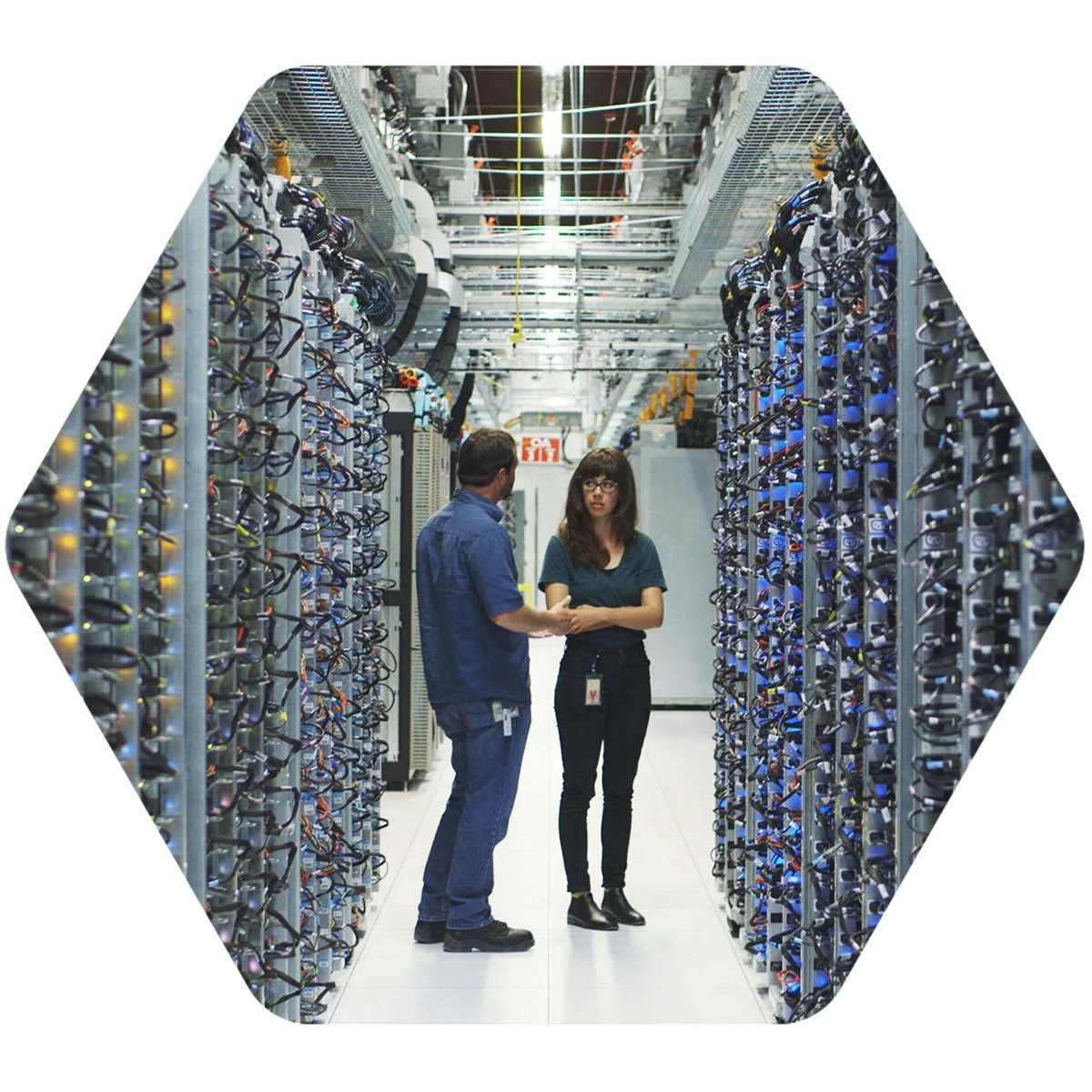
Essential Cloud Infrastructure: Foundation - 한국어
이 속성 주문형 과정은 참가자에게 Google Cloud에서 제공하는 포괄적이고 유연한 인프라 및 플랫폼 서비스를 Compute Engine을 중심으로 소개합니다. 참가자는 동영상 강의, 데모, 실무형 실습을 통해 네트워크, 가상 머신, 애플리케이션 서비스와 같은 인프라 구성요소를 포함한 솔루션 요소를 탐색하고 배포해 볼 수 있습니다. Console과 Cloud Shell을 통해 Google Cloud를 사용하는 방법을 학습합니다. 또한 클라우드 설계자의 역할, 인프라 설계 접근 방식은 물론 Virtual Private Cloud(VPC), 프로젝트, 네트워크, 서브네트워크, IP 주소, 경로, 방화벽 규칙을 사용한 가상 네트워킹 구성에 대해 알아봅니다.

Learn SCADA from Scratch - Design, Program and Interface
We all know SCADA stands for Supervisory Control and Data Acquisition, but most of us confuse that with HMI- Human Machine Interface. SCADA is merely software whereas HMI is hardware. The advantage of SCADA is we can use a computer, install the SCADA software, and can work it like an HMI as well. This course is for those who are looking for basic and advanced knowledge of SCADA. This course has high-quality video tutorials in SCADA features and elements. You will also get information on "How to download FREE SCADA software" and link it to your PLC. The SCADA software which is used in this course is Ignition which can be downloaded for free from the Ignition website and can be used for a trial period of 2 hours which can be reset and used again. The PLCs which are used to interface with SCADA are Siemens S7-1200 and Micrologix 1400. However, any PLC which supports Ethernet, MODBUS, OPC UA or PROFINET can be connected to Ignition SCADA to make SCADA screens. In this course, you will learn not only how to make SCADA screens but also how to log the PLC data in the database to make data analytics. The following are the key features of the course: • High-Quality Video Tutorials • Link to download SCADA software • Presentations to review the content • Technical support. This course starts from the basic introduction and ends with PLC SCADA application projects. If you looking for a course to learn and apply the gained skills immediately, this course is for you! You will get a course completion certificate after completing the course.

Generate Personalized Email Content with BigQuery Continuous Queries and Gemini
This is a self-paced lab that takes place in the Google Cloud console. In this lab, you learn how to generate personalized email content with BigQuery continuous queries, Gemini, Pub/Sub, and Application Integration triggers.

Computer Forensics and Digital Forensics Masterclass PRO+
This is the most comprehensive, yet straight-forward, course for the Digital Forensics and Computer Forensics on Udemy! *Get the Official Certificate after Completing the Course This course is intended for anyone who wants to learn the basics of digital forensics and computer forensics. Whether you are a beginner or an experienced professional, this course will provide you with the knowledge and skills necessary to become an expert in the field of digital forensics. Throughout the course, you will learn about the various types of digital forensics and the tools and techniques used in each one. The course starts by introducing you to the basic concepts of digital forensics, including the various types of digital evidence, the legal framework governing digital forensics, and the best practices used in digital forensics investigations. You will also learn about the various types of digital devices, including desktops, laptops, mobile devices, and servers, and the different types of data storage devices used in these devices. Once you have a good understanding of the basics of digital forensics, the course will dive deeper into the technical aspects of computer forensics. You will learn about the various tools and techniques used in computer forensics, including disk imaging, data recovery, and data analysis. You will also learn how to analyze network traffic, detect malware, and trace network activity. The course also covers mobile forensics, which is the process of investigating digital devices such as smartphones and tablets. You will learn about the various types of mobile devices, the different types of mobile operating systems, and the tools and techniques used in mobile forensics investigations. You will also learn how to extract data from mobile devices, recover deleted data, and analyze mobile data. The course also covers catching hackers, which is one of the most important aspects of digital forensics. You will learn about the various types of cyberattacks, including malware, phishing, and DDoS attacks, and the tools and techniques used to detect and investigate these attacks. You will also learn about the various types of cybercriminals, including hackers, crackers, and script kiddies, and the strategies used to catch them. Throughout the course, you will have access to a range of tools and resources that will help you develop your digital forensics skills. These include a range of software tools, case studies, and practical exercises that will give you hands-on experience in digital forensics investigations. Who Is This Course For? This course is designed for anyone who wants to learn about digital forensics, computer forensics, and mobile forensics. Whether you are a beginner or an experienced professional, this course will provide you with the knowledge and skills necessary to become an expert in the field of digital forensics. This course is suitable for: • IT professionals who want to specialize in digital forensics • Cybersecurity professionals who want to enhance their skills in digital forensics • Law enforcement officials who need to investigate digital crimes • Students who want to develop a career in digital forensics What Will You Learn? By the end of this course, you will have a comprehensive understanding of digital forensics, computer forensics, and mobile forensics. You will have the skills and knowledge necessary to investigate digital crimes, catch hackers, and recover digital evidence. You will learn: • The basic concepts of digital forensics • The legal framework governing digital forensics • The best practices used in What is computer forensics? Computer forensics is the application of investigation and analysis techniques to gather and preserve evidence from a particular computing device in a way that is suitable for presentation in a court of law. The goal of computer forensics is to perform a structured investigation and maintain a documented chain of evidence to find out exactly what happened on a computing device and who was responsible for it. Computer forensics -- which is sometimes referred to as computer forensic science essentially is data recovery with legal compliance guidelines to make the information admissible in legal proceedings. The terms digital forensics and cyber forensics are often used as synonyms for computer forensics. Digital forensics starts with the collection of information in a way that maintains its integrity. Investigators then analyze the data or system to determine if it was changed, how it was changed and who made the changes. The use of computer forensics isn't always tied to a crime. The forensic process is also used as part of data recovery processes to gather data from a crashed server, failed drive, reformatted operating system (OS) or other situation where a system has unexpectedly stopped working. Why is computer forensics important? In the civil and criminal justice system, computer forensics helps ensure the integrity of digital evidence presented in court cases. As computers and other data-collecting devices are used more frequently in every aspect of life, digital evidence and the forensic process used to collect, preserve and investigate it -- has become more important in solving crimes and other legal issues.

使用 Cloud Run 部署及擴充 AI 模型
AI 推論是指下列流程:使用經過訓練的機器學習模型,應用習得的模式,對未見過的新資料進行預測。這門課程適合有興趣在 Cloud Run 快速部署 AI 推論服務的開發人員、資料科學家和機器學習工程師。如果您熟悉雲端式無伺服器應用程式部署解決方案,不過可能未曾使用 Google Cloud 無伺服器產品執行 AI 推論,這門課程相當適合您。 課程包含範例,呈現如何使用 GPU 部署 AI 推論模型,以及整合生成式 AI 應用程式與資料儲存服務。

Public Key Infrastructure (PKI) Complete Course
Unlock the Future of Digital Security with My Comprehensive PKI Course! Are you ready to embark on a journey into the captivating realm of Public Key Infrastructure (PKI) and transform your understanding of digital security? Look no further! Welcome to "PKI Complete Course," your gateway to mastering the art of safeguarding digital information, ensuring integrity, confidentiality, authenticity, and non-repudiation. Why Choose My PKI Course? In today's digital landscape, securing sensitive data is non-negotiable. Whether you're an aspiring IT professional eager to expand your skill set or an enthusiast with a thirst for PKI knowledge, this course is tailor-made for you. Here's why this educational adventure is your best choice: Holistic Understanding: Demystify the intricacies of PKI, starting from the ground up. I begin with the essentials, ensuring that even beginners can follow along, and gradually progress to advanced concepts. Hands-On Lab: Gain invaluable practical experience by constructing a dedicated Windows Server 2022 lab for PKI infrastructure. I'll personally guide you through planning, installation, configuration, and optimization, transforming you into a PKI pro. Expert Instruction: Learn from a seasoned professional who simplifies PKI with crystal-clear explanations and real-world examples. My instruction is laser-focused on your success. Certification Ready: Equip yourself with the skills needed to excel in the competitive IT landscape and prepare for industry-recognized PKI certifications. Lifetime Access: Enjoy perpetual access to course materials and updates, empowering you to revisit and reinforce your knowledge whenever you desire. Community and Support: Join a dynamic learning community where you can exchange ideas and seek assistance as needed. I'm here to support you at every step of your journey. Course Outline: Section 1: Introduction to PKI • Delve into the core principles of PKI, covering integrity, confidentiality, authenticity, and non-repudiation. Section 2: Building Your Windows Server 2022 Lab for PKI • Learn the intricacies of planning, installing, and configuring your Windows Server 2022 lab for PKI experimentation. • Master post-installation tasks, including setting up your initial Domain Controller and enhancing your lab with essential tools. Section 3: Adding PKI Infrastructure to Your Windows Server 2022 Lab • Strategically integrate AD Certificate Services (AD CS) into your lab. • Explore the critical processes of installing and configuring an Offline Root CA and an Enterprise Subordinate CA. Don't miss the opportunity to embark on this transformative journey into the world of PKI. Secure your digital future, advance your career, and protect your digital assets with confidence. Join me today! Your digital security evolution begins now.

Validate Data in Google Sheets
This is a self-paced lab that takes place in the Google Cloud console. Ensure that your data is valid and prepared for analysis using Google Sheets features and functions to organize, standardize, and clean data.

Data Engineering for Beginners: Learn SQL, Python & Spark
Why Learn Data Engineering? Data Engineering is one of the fastest-growing fields in the tech industry. Organizations of all sizes rely on Data Engineers to build and maintain the infrastructure that powers big data analytics, reporting, and machine learning. Data Engineers design, implement, and optimize data pipelines to efficiently process and manage data for business intelligence, real-time analytics, and AI applications. With SQL, Python, and Apache Spark, Data Engineers can handle large-scale data processing efficiently. These skills are highly sought after in finance, healthcare, e-commerce, and every data-driven industry. If you are looking for an industry-relevant and practical course that teaches you how to work with SQL, Python, Apache Spark (PySpark), and Databricks on Google Cloud Platform (GCP), this course is the perfect place to start. What You Will Learn in This Course This course is designed to take you from a beginner to an intermediate level in Data Engineering. You will gain hands-on experience working with SQL, Python, Apache Spark (PySpark), and Databricks by building real-world batch and streaming data pipelines. SQL for Data Engineering (PostgreSQL) • Install and configure PostgreSQL to practice SQL queries • Learn fundamental SQL concepts such as SELECT, WHERE, JOIN, GROUP BY, HAVING, and ORDER BY • Perform advanced SQL operations including window functions, ranking, cumulative aggregations, and complex joins • Learn how to optimize SQL queries for performance and debugging Python for Data Engineering • Understand Python fundamentals for data processing • Work with Python Collections to efficiently process structured data • Use Pandas to manipulate, clean, and analyze data • Build real-world Python projects, including a File Format Converter and a Database Loader • Learn how to troubleshoot and debug Python applications • Understand performance tuning strategies for Python-based data pipelines Apache Spark (PySpark) for Big Data Processing • Learn Spark SQL to process structured data at scale • Work with PySpark DataFrame APIs to manipulate big data • Create and manage Delta Tables and perform CRUD operations (INSERT, UPDATE, DELETE, MERGE) • Perform advanced SQL transformations using window functions, ranking, and aggregations • Learn how to optimize PySpark jobs using Spark Catalyst Optimizer and Explain Plans • Debug, monitor, and optimize Spark jobs using Spark UI Deploying Data Pipelines on Databricks (Google Cloud Platform - GCP) • Set up and configure Databricks on Google Cloud Platform (GCP) • Learn how to provision and manage Databricks clusters • Develop PySpark applications on Databricks and execute jobs on multi-node clusters • Understand the cost, scalability, and benefits of using Databricks for Data Engineering Performance Tuning and Optimization in Data Engineering • Learn query performance optimization techniques in SQL and PySpark • Implement partitioning and columnar storage formats to improve efficiency • Explore debugging techniques for troubleshooting SQL and PySpark applications • Analyze Spark execution plans to improve job execution performance Common Challenges in Learning Data Engineering and How This Course Helps Many learners struggle with setting up a proper Data Engineering environment, finding structured learning material, and gaining hands-on experience with real-world projects. This course eliminates these challenges by providing: • A step-by-step guide to setting up PostgreSQL, Python, and Apache Spark • Hands-on exercises that simulate real-world Data Engineering problems • Practical projects that reinforce learning and build confidence • Cloud-based Data Engineering with Databricks on Google Cloud, making it easier to work with large-scale data Who Should Take This Course? This course is designed for: • Beginners who want to start a career in Data Engineering • Aspiring Data Engineers who want to learn SQL, Python, Apache Spark (PySpark), and Databricks • Software Developers and Data Analysts who want to transition into Data Engineering • Data Science and Machine Learning Practitioners who need a deeper understanding of data pipelines • Anyone interested in Big Data, ETL processes, and cloud-based Data Engineering Why Take This Course? Beginner-Friendly Approach This course starts with the fundamentals and gradually builds up to advanced topics, making it accessible for beginners. Hands-On Learning with Real-World Projects You will work on real-world projects to reinforce your skills and gain practical experience in building Data Pipelines. Cloud-Based Training on Databricks (GCP) This course teaches cloud-based Data Engineering using Databricks on Google Cloud, a platform widely used by companies for Big Data processing and machine learning. Comprehensive Curriculum Covering All Key Data Engineering Skills This course covers SQL, Python, Apache Spark (PySpark), Databricks, ETL, Big Data Processing, and Performance Optimization—all essential skills for a Data Engineer. Performance Tuning and Debugging You will learn how to analyze Spark execution plans, optimize SQL queries, and debug PySpark jobs, which are crucial for real-world Data Engineering projects. Lifetime Access and Updates You get lifetime access to the course content, which is regularly updated to keep up with industry trends and new technologies. Course Features • Step-by-step instructions with detailed explanations • Hands-on exercises to reinforce learning • Real-world projects covering batch and streaming data pipelines • Complete Databricks setup guide for Google Cloud • Performance optimization techniques for SQL and PySpark • Best practices for debugging and tuning Spark jobs Enroll Today and Start Your Data Engineering Journey If you are serious about learning Data Engineering and want to master SQL, Python, Apache Spark (PySpark), and Databricks on Google Cloud, this course will provide you with the essential skills and hands-on experience needed to succeed in this field. Take the first step in your Data Engineering journey today—enroll now!
Master Agile Estimation – Scrum & Kanban Techniques
This course features Coursera Coach! A smarter way to learn with interactive, real-time conversations that help you test your knowledge, challenge assumptions, and deepen your understanding as you progress through the course. Master Agile estimation techniques with a hands-on approach, focusing on Scrum and Kanban. From the basics of story points and velocity to advanced methods like planning poker and T-shirt sizing, this course covers estimation skills for Agile project planning. You’ll explore estimation best practices, learn to calculate team velocity, and understand how to improve your estimation process through real-world exercises. As you progress, you’ll experiment with different techniques, such as relative estimation, reference stories, and the three-point method, and discover when to re-estimate. Troubleshoot common issues like multi-tasking and team instability to improve accuracy. Perfect for Agile practitioners, Scrum Masters, and product owners, this course will help you refine your estimation skills and apply the most effective techniques for your team’s needs. By the end, you'll be able to estimate accurately and troubleshoot estimation challenges with confidence.

Software Mobile Cell Phone Repair Mastery: Android & iPhone
Unlock a Rewarding Career with Our Premium Software Mobile Cell Phone Repair Course – Your Pathway to Mastering Samsung, Xiaomi, iPhone, and Beyond Jumpstart your ascent to becoming a sought-after expert in mobile technology repair with our cutting-edge "Software Mobile Cell Phone Repair" course. Crafted for enthusiasts and professionals alike, this course is your bridge to mastering the dynamic realm of mobile repair, focusing on critical brands like Samsung, Xiaomi (Mi), and iPhone. With a curriculum tailored for global relevance – including countries like India, the USA, Nigeria, Mexico, Brazil, Peru, Colombia, Turkey, and Pakistan – we prepare you with the skills to tackle mobile software challenges anywhere in the world. What Sets Our Course Apart: • In-Depth Brand-Specific Training: Delve into the software complexities of market leaders including Samsung, Xiaomi, and iPhone. Learn everything from navigating Samsung's intricate software landscape, mastering Xiaomi's MIUI, to resolving common and uncommon iPhone software dilemmas. • Advanced Diagnostic Tools Mastery: Elevate your repair game beyond the basics. We emphasize the strategic use of advanced, paid diagnostic tools, equipping you with the expertise to excel in modern mobile repair and diagnostics. • Preparedness for the Global Market: Our course content is designed to tackle universal mobile software repair challenges, ensuring you're ready for a career without borders. Embrace the confidence to address software issues across diverse cultures and regions. Ideal Candidates for This Course: Whether you're an aspiring mobile repair technician, a professional looking to enhance your software repair capabilities, or someone keen on leveraging these skills for career growth or entrepreneurial success, this course is your gateway. Embark on a journey to becoming a top-tier software mobile cell phone repair specialist, with the flexibility to operate internationally, launch your repair business, or progress in your current role. Enroll Now and Transform Your Career: Seize the opportunity to redefine your professional journey. Enroll in our "Software Mobile Cell Phone Repair" course today and step into the role of a high-demand mobile software repair technician. Arm yourself with cutting-edge knowledge and skills to flourish in the fast-evolving mobile technology landscape. Secure a prosperous, fulfilling career by signing up now.

Learn Azure Serverless Functions in a Weekend
This course features Coursera Coach! A smarter way to learn with interactive, real-time conversations that help you test your knowledge, challenge assumptions, and deepen your understanding as you progress through the course. In this course, you'll dive deep into serverless computing and how to work with Azure Functions. By the end, you will be able to build, deploy, and manage serverless applications with Azure Functions. The course will also guide you through integrating various Azure services, allowing you to streamline and automate processes efficiently. You'll start by understanding the fundamentals of serverless computing and event-driven architecture. Then, you'll move on to hands-on tutorials on creating Azure Functions using both the Azure Portal and Visual Studio Code. You'll also configure local development environments to enable efficient application development and testing. The second half of the course focuses on real-world applications, where you will create Azure Functions integrated with Azure SQL Database, Azure Service Bus, and Azure Storage solutions. You’ll also learn how to develop APIs and set up event-driven processes, ensuring you can design scalable systems. Lastly, you will build a transaction processing system using Azure Functions to manage and monitor payments. This course is perfect for developers and IT professionals who want to get hands-on experience with Azure Serverless Functions. Familiarity with cloud computing basics and programming knowledge in languages like C# or Python will be beneficial but not mandatory.

Mastering Electronics: From Fundamentals to Design
Welcome to the "Mastering Analog Circuits: From Fundamentals to Design" course, where you'll embark on a journey into the fascinating realm of analog electronics. This comprehensive online course is meticulously crafted to provide you with a deep understanding of analog circuits, from the very basics to advanced design principles. What You Will Learn: From understanding the fundamental components of electronics to designing complex analog circuits, this course covers it all. You'll delve into voltage, current, and resistance, mastering Ohm's Law and its practical applications. You'll explore diodes and transistors, gaining expertise in their operation and applications. Amplifiers, feedback mechanisms, and operational amplifiers (op-amps) will no longer be mysteries as you grasp their intricacies and real-world applications. Through hands-on labs and practical projects, you'll learn to build, analyze, and optimize analog circuits. You'll develop the skills to design circuits for various practical applications, from signal processing to filtering. Moreover, you'll enhance your problem-solving abilities, enabling you to troubleshoot and fine-tune your circuits. This course is designed for students, electronics enthusiasts, engineers, professionals, hobbyists, and anyone with an interest in electronics. Whether you're looking to excel academically, advance your career, or simply explore the world of analog electronics, this course provides the knowledge and skills you need. By the course end, you'll be equipped with a solid foundation in analog electronics and circuit design, ready to tackle real-world projects and challenges with confidence. Join us today and unlock the potential of analog electronics!

Cyber Defense Fundamentals: Securing Networks and Systems
This course is designed for professionals without a technical background who manage people, data, or business operations to enhance their understanding of cybersecurity fundamentals. Learners will learn how to securely configure wireless routers, identify risks associated with Internet of Things (IoT) devices and Bring Your Own Device (BYOD), and secure physical access to critical systems like point-of-sale devices. The course emphasizes the importance of patch management in preventing breaches and helps learners distinguish between fake update malware and legitimate system prompts. Additionally, the course covers essential practices such as applying the Principle of Least Privilege to employee accounts, implementing the 3-2-1 data backup strategy, and evaluating third-party vendors for security risks. By the end of the course, learners will be equipped with practical skills to secure their business infrastructure effectively and ensure safe payment processing workflows.

AI-Assisted Embedded Firmware Development
If you are an embedded firmware engineer, AI is no longer optional. The real question is not whether AI can generate code, but whether you can use it without losing correctness, safety, or control. This course teaches you exactly that. You will learn a professional, repeatable workflow for using AI inside real firmware projects: how to ask the right questions, how to generate code responsibly, how to review it like a senior engineer, and how to prove it works using builds, tests, documentation checks, and hardware evidence. This is not a hype course. It is a practical engineering course designed to make AI co-programming a second-nature skill. This course is built around embedded reality: clocks, interrupts, DMA, memory limits, datasheets, and timing behavior. You will see how to use AI productively while enforcing the discipline that prevents silent failures. What you will be able to do after this course • Use AI safely inside a real firmware repository without copy-paste gambling • Prompt AI for embedded-specific tasks such as drivers, refactors, debugging, tests, and documentation • Review AI-generated code with a systematic checklist that catches hidden assumptions • Apply verification gates including clean builds, warnings policy, test strategy, datasheet validation, and hardware smoke proofs • Build peripheral drivers with professional constraints and verify them on real hardware • Combine multiple drivers into a working mini-integration project using an AI-assisted workflow that stays under your control This course is intentionally focused on IDE-level, local firmware development with AI assistance. It does not cover full end-to-end product architecture, device-to-cloud systems, large-scale multi-repository orchestration, or team-wide AI engineering processes. Those topics require a different level of scope, tooling, and verification rigor and are covered in a separate course. This course gives you the foundation that makes those advanced workflows possible, safe, and productive. How the course is taught You will start with structured theoretical lessons that build the correct mental model, rules, and verification habits. You will then move into practical demonstrations where AI is used in a real firmware workflow: prompting, reviewing, editing, building, testing, and validating against documentation and hardware behavior. You will see not only what to do, but why it is correct. Who this course is for • Embedded firmware engineers working in C or C++ • Developers who want AI productivity gains without sacrificing correctness • Engineers who want a professional workflow they can apply to real projects immediately Enroll now and learn the foundations of professional practices that define modern embedded firmware development.

Attention Mechanism - Bahasa Indonesia
Dalam kursus ini Anda akan diperkenalkan dengan mekanisme atensi, yakni teknik efektif yang membuat jaringan neural berfokus pada bagian tertentu urutan input. Anda akan mempelajari cara kerja atensi, cara penggunaannya untuk meningkatkan performa berbagai tugas machine learning, termasuk terjemahan mesin, peringkasan teks, dan menjawab pertanyaan.

The Complete PLC Software/Hardware full Automation Bootcamp
here you will start from scratch practicing PLC programming & controlling software designs to be more confident with your PLC experience and skills. "PLC , Automation controlling systems are one of the most important system for any industrial system or factory ". Hello there, • If the word 'PLC' baffles your mind and you want to master it, then this is for you. • If you want to start your career in PLC and classic controlling systems design and make money from it, then is for you. • If you want to learn how to design PLC automation system for any Project, then this course is for you. • If you get bored of the word 'this course is for you', then this course is for you. • if you love the controlling engineering. Well, PLC and classing controlling systems are becoming widely-used words on everybody's tongue, and this is reasonable as most the buildings and industrial systems and factories must include the PLC for automation and classic controlling systems . So we introduce to you the "Complete PLC & classic control (software/hardware) designs" course that you need in order to get your hand on the PLC and Automation design as this course collects most of the knowledge that you'll need in your journey. We believe that the brain loves to keep the information that it finds applicable, and that's what we're doing here in UNITED ENGINEERING, we give you years of practice from our instructor that have been gathered in just one an interesting dose. Our course is structured as follows: • Discuss the different types of controlling switches (software/hardware) design . • Discuss the different types of controlling Relays (software/hardware) design. • Discuss the different types of controlling Contactors (software/hardware)design. • Learn about the Overcurrent relays. • Learn about the different kinds of circuit breakers. • Learn about the PLC programming fundamental. • Implement the PLC start stop controlling system(software/hardware) design. • Design the Siemens S7-1200 PLC configuration, wiring & programming on TIA Portal. • Design the industrial fans interlocking PLC automation system (software/hardware) design. • Design the industrial fans One-way PLC automation system (software/hardware) design. • Implement the Door PLC automation system on Logixpro simulator. • Implement the Silo PLC automation system on Logixpro simulator. • Learn about the Allen-Bradley PLC timers. • Design the industrial fans sequential operation PLC automation system (software/hardware) design. • Learn about the Allen-Bradley PLC counters. • Design the single pushbutton Start/Stop PLC project (software/hardware)design. • Discuss the different types of proximity sensors(software/hardware)design. • Discuss the PLC analog signals controlling fundamentals & hardware applications. • Design the PLC temperature controlling system using Lm35 temp. sensor (software/hardware) design. • Design the PLC temperature controlling system using the RTD PT100 temp. sensor (software/hardware )design. • Learn the Allen-Bradley advanced PLC programming with RSLogix500. • Learn the Siemens advanced PLC programming with TIA portal. • Implement the "advanced sorting by height" Factory I/O PLC automation system (first course project ). • Design the Start/stop classic controlling system (software/hardware) design. • Design the Three phase induction motor direction controlling system. • Implement the Star/delta classic controlling system (software/hardware) design. • Learn about the Dahlader motor Classic controlling system. • Lean about the timers in classic controlling systems (software/hardware) design. • Optimize the star/Delta classic controlling system (software/hardware) design. • Design the motors closed loop classic controlling system(software/hardware) design. • Design the motors one way controlling system(software/hardware) design. • Optimize the Forward/Reverse classic controlling system (software/hardware) design. • Implement the 2 out of 4 ATS (automatic transfer switch) controlling system (second course project ). ** At this course : • These tracks would be like a piece of cake to you. • You will start practicing yourself by solving excrescences and coding assignments to get your hands on PLC programing and real world projects implementation. • We'll take you from the Scratch of Designing and Analysis. • You'll learn with practical exciting method in order to understand without being bored. All you need is an open mind and the passion to be successful! ** Our help in United Engineering is always available to you if you get stuck or have a question - our support is legendary in Udemy --> So don't hesitate and click " Buy Now " button so you can begin on the right path!
Salesforce on AWS: Basics to Business Innovation - Français
Tout au long de ce cours, vous examinerez la proposition de valeur de l'intégration d'Amazon Web Services (AWS) et de Salesforce. Vous vous concentrerez sur la manière dont cette intégration renforce l'agilité de l'entreprise, améliore l'expérience client et favorise l'excellence opérationnelle. Chaque leçon approfondit vos connaissances progressivement. Vous allez commencer par les concepts de base avant d'explorer les applications pratiques. En comprenant ces modèles d'intégration, vous serez mieux équipée pour évaluer les avantages de ce partenariat pour votre organisation. À la fin de ce cours, vous aurez une bonne compréhension du fonctionnement de l'intégration entre Salesforce et AWS, de la valeur commerciale qu'elle apporte et des types de problèmes qu'elle permet de résoudre. Ces connaissances vous aideront à identifier les opportunités de mise en œuvre de ces technologies dans votre propre organisation.

AWS Platform Engineering, Terraform, CI/CD & Observability
In this course, we are going to build and automate a complete production-ready cloud platform from scratch. Starting with a simple Python FastAPI application running locally, you will progressively learn how real modern infrastructure is designed, deployed, automated, monitored and secured. We will use technologies including AWS, Terraform, Docker, GitHub Actions, Cloudflare and Grafana. Together we will build: • ECS Fargate container platforms • Application Load Balancers • PostgreSQL databases • CI/CD pipelines • observability dashboards • monitoring and alerting systems • HTTPS and CDN edge protection • fully automated Infrastructure as Code (IaC) deployments You will also learn how to design AWS networking using VPCs, public and private subnets, security groups and IAM permissions. We will containerise applications with Docker, manage infrastructure with Terraform, automate deployments through GitHub Actions, and implement production monitoring using CloudWatch and Grafana. Along the way, we will explore platform engineering principles, operational best practices, reliability concepts, and the workflows used by modern cloud engineering teams. By the end of the course, you will understand how modern cloud-native platforms are actually built and operated in production environments. If you want practical real-world skills in platform engineering, DevOps, cloud infrastructure and SRE practices, then this course is for you. Thanks for taking part in my course, and I hope to see you there.

Security Command Center Fundamentals
Learn about the fundamental features of Security Command Center on Google Cloud. Spend time in this course to understand assets, detection and compliance. Security Command Center is a key part of your Google Cloud security journey, complete these modules and quiz to earn a completion badge.

ROS 2 and Raspberry Pi (+ Arduino)
Create Embedded and Distributed Robotics Applications with ROS2 and Raspberry Pi

Jira for Quality Assurance Testing
Jira for Quality Assurance Testing is a beginner-level course designed for aspiring QA professionals, developers, and project team members who want to master the fundamentals of software testing within the Jira ecosystem. This course offers a structured path to understanding and applying essential testing methodologies to ensure high software reliability and transparency. You will learn to identify and differentiate between critical testing types, including smoke, regression, and exploratory testing, and understand their unique roles in the development lifecycle. Through practical, hands-on instruction, you will gain proficiency in executing manual test cases, meticulously documenting results, and attaching supporting evidence like screenshots and logs directly within Jira. The course emphasizes clear communication, enabling you to effectively explain testing objectives and outcomes to peers and stakeholders. By the end of this course, you will be equipped with the skills and tools necessary to implement systematic quality assurance processes, helping your team identify defects early, maintain consistent quality, and deliver reliable software with confidence.

IT network cabling: The complete fiber optics course
Demystifying fiber optics, the fastest growing ICT network infrastructure sector one lesson at a time!
Generative AI: Elevate your Data Engineering Career
Data engineering processes have undergone an amazing transformation since the advent of Generative AI. In this course, you will explore the impact of generative AI on data engineering. You as a data engineer can use Generative AI to enhance productivity by introducing innovative ways to deliver projects. Data engineering is responsible for building strong data pipelines, managing data infrastructure, and ensuring high-quality data evaluation. This course is suitable for existing and aspiring data engineers, data warehousing specialists, and other data professionals such as data analysts, data scientists and BI analysts. You will learn how to use and apply generative models for tasks such as architecture design, database querying, data warehouse schema design, data augmentation, data pipelines, ETL workflows, data analysis and mining, data lakehouse, and data repositories. You will also explore challenges and ethical considerations associated with using Generative AI. Demonstrate your new generative AI skills in a hands-on data engineering project that you can apply in your real-life profession. Then, complete your final quiz to earn your certificate. You can share both your project and certificate with your current or prospective employers.

CompTIA A+ 220-1202 Core 2 Hands-On Course - Full Training
CompTIA A+ 220-1202. Covers all the topics on the exam objectives to ensure you pass on your first try.

Importing Data to a Firestore Database
In this lab you will upload existing data (a CSV file) to a Firestore serverless database in the cloud.